The outcome
Create a clear, appropriately paced voiceover ready for an editorial review.
Step by step
A workflow you can repeat.
- 01
Edit the script for spoken language, pronunciation, timing, and breathing before generation.
- 02
Choose an authorized voice that fits the audience and purpose.
- 03
Generate a short representative section and evaluate clarity, pacing, emphasis, and tone.
- 04
Adjust formatting, pronunciation, and voice settings before rendering the full script.
- 05
Listen in the final mix, fix discontinuities, and document voice consent and usage rights.
Interface reference
Connect the workflow to the product.
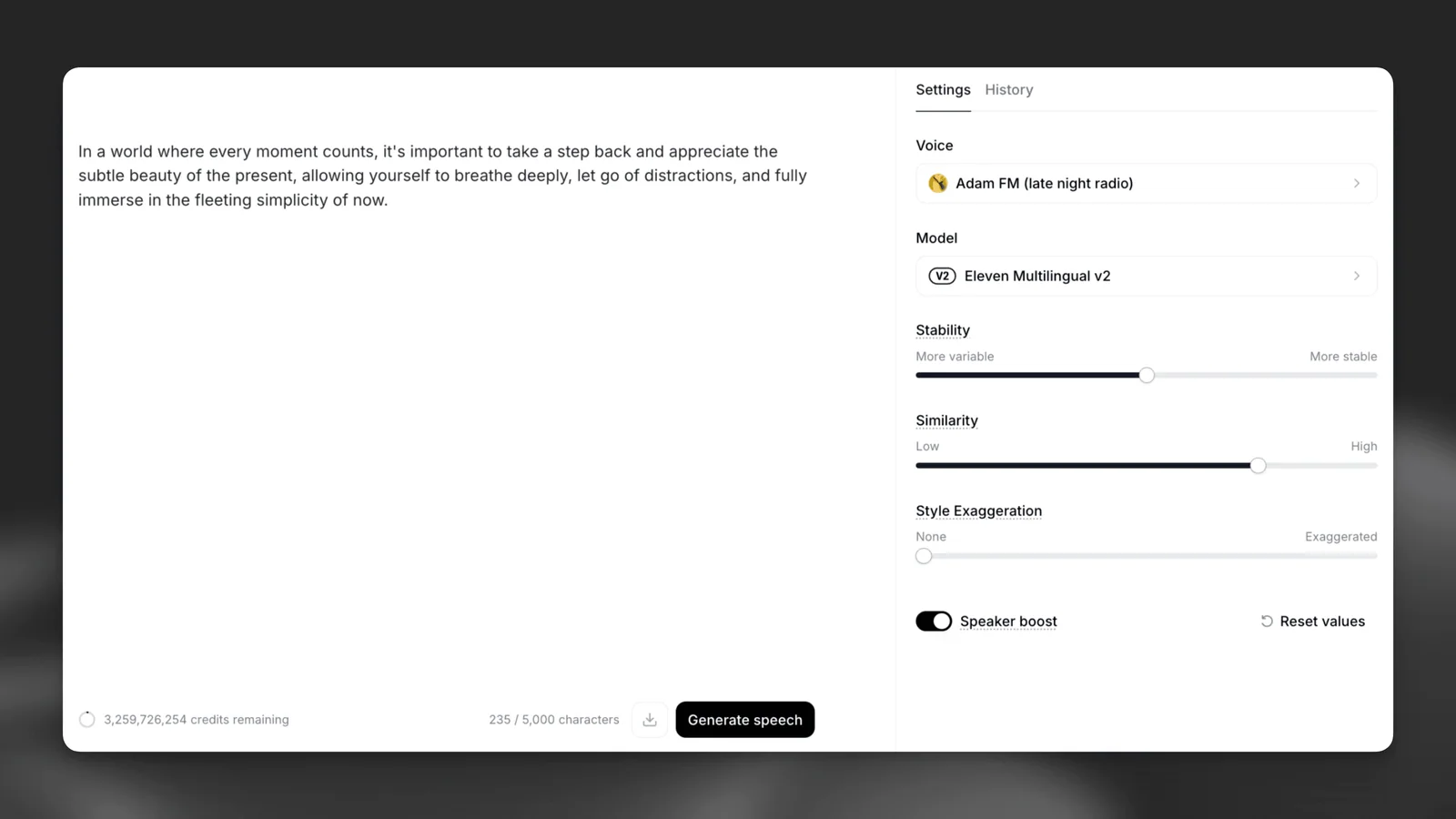
ElevenLabs’ Text to Speech screen keeps the script beside the voice and generation controls that shape the output.
Interface reference · ElevenLabs Text to Speech documentation ↗ · Captured August 2, 2026Working standard
What good use looks like.
- Direct the script, not just the slider.
- Test names and numbers early.
- Disclose synthetic speech when appropriate.
Official references