In short
AI-built sites struggle mostly because many are client-side rendered single-page apps: the first HTML holds little content, every route may share one title, and missing pages can return a 200 status. Google can render JavaScript but may delay it, and not every crawler runs it. Check your page source, then add pre-rendering or server rendering, unique metadata per route, real links, correct status codes and a sitemap.
It is mostly a rendering problem
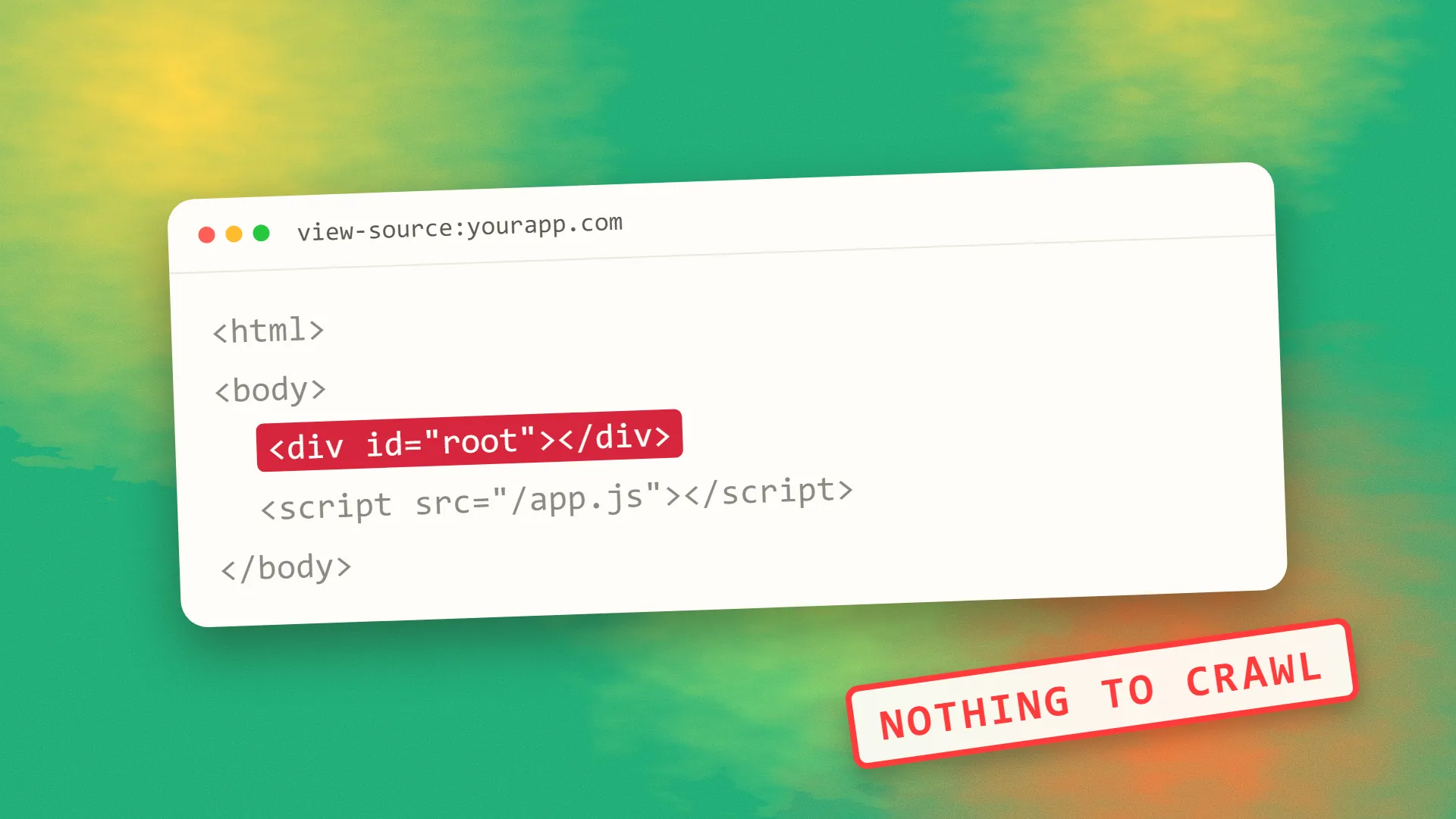
Google does not penalise a site because an AI tool wrote the code. What it evaluates is what it can fetch and the usefulness of what it finds. Many AI builders default to React single-page apps, so the server sends a nearly empty HTML shell and JavaScript fills in the page afterwards.
Google can handle that, within limits. Its JavaScript SEO documentation describes three phases: crawling, rendering and indexing. Pages may wait in a render queue, and the same page recommends server-side rendering or pre-rendering, partly because not all bots can run JavaScript. That second point matters more now, because you also want AI search crawlers to read your pages. For the details, see whether Google renders JavaScript.
<title>My App</title>
<body>
  <div id="root"></div>
  <script src="/app.js"></script>
</body>
<title>Pricing | Marlo</title>
<body>
  <h1>Pricing</h1>
  <p>Plans from €9 a month.</p>
</body>
The five-minute test
Run these on your homepage and one inner page:
- View the raw source. Right-click and choose View Page Source, which shows the HTML before JavaScript runs. Search for a sentence from the page. If it is missing, and you mostly see an empty
divand script tags, your content depends on JavaScript. - Check the title. Is the
titlein the source specific to that page, or the same on every route? - Request a page that does not exist. Visit
/this-page-does-not-existand check the status in your browser's network panel. It should be 404. A 200 with a “not found” message is a soft 404. - Inspect a link. Internal links should be real
aelements with anhrefattribute. - Use Search Console. Run URL Inspection on the page, then look at the rendered HTML Google captured and whether the page is indexed.
The fixes, in order of impact
Serve real HTML. This is the big one. Your options, roughly from simplest to most involved:
| Approach | Works well for | Trade-off |
|---|---|---|
| Pre-render routes at build time | Marketing sites, blogs, documentation | Content updates need a rebuild |
| Static site framework | Mostly content, few interactive parts | Requires moving the front end |
| Server-side rendering | Frequently changing or personalised pages | More hosting and operational complexity |
| Keep the app client-rendered, with a separate marketing site | SaaS, where the app sits behind a login anyway | Two things to maintain |
The last option is often underrated. Pages behind a login do not need to rank, so a logged-in app can remain a single-page app while your public pages are pre-rendered. Our guide to SSR, CSR and SSG goes further into the choice.
Give each route its own metadata. Every indexable page needs a unique title, description and canonical URL, present in the HTML rather than added later. AI-built projects often keep one template title everywhere, which makes pages look like duplicates.
Return honest status codes. Google notes that client-side routing can make status codes difficult and can cause soft 404s. It suggests redirecting to a URL that returns a real 404, or adding a noindex tag to error views. Be careful with the second approach: if a page starts with noindex, Google may skip rendering, so JavaScript cannot reliably remove the tag later.
Use real URLs and links. Google only discovers links that are a elements with an href, and it cannot reliably resolve fragment URLs like #/pricing. Clickable div elements that call a router function are invisible as links. Ask your tool to change them; this tends to be a quick fix.
Publish a sitemap and check your robots file. Generated projects often lack a sitemap or carry leftovers from a template. Create an accurate sitemap, submit it in Search Console, and check that your robots.txt does not block the scripts or pages Google needs.
Move critical structured data into the HTML. If it only appears after JavaScript runs, you are relying on the same queue. Add it at build or server time where possible.
Then fix the content
Technical fixes only let search engines see what is there. Sites generated from one prompt often have the opposite problem: pages that are thin, interchangeable and light on detail. A services page saying you deliver “innovative solutions tailored to your needs” does not answer anything.
Add what a generator cannot know: your prices or how they are set, your location, real photos, named people, examples of past work, and answers to the questions your customers ask. Those details help readers decide, and they are hard for competitors to copy. We have seen this tension on our own site: when we audited our guides, templated pages with near-identical text were the problem, not the tooling behind them.
What to expect
After shipping fixes, resubmit your sitemap and request indexing for your most important pages. Then give it some time, because a site with little authority is crawled less often, and Google does not promise to index every page. If pages remain out of the index, work through why a site is not showing up on Google and why pages get crawled but not indexed.
If you would rather have someone check the build and fix it properly, book a call.
Common questions
Does Google penalise websites built with AI?
Not simply for being built with AI. Google evaluates what it can crawl and how useful the page is. AI-built sites more often struggle because of client-side rendering, duplicate metadata and thin, generic content, all of which you can fix.
Are Lovable or similar sites bad for SEO?
A client-rendered single-page app starts at a disadvantage for public pages, because the first HTML may hold little content. That can be fixed through pre-rendering or by using a separate marketing site. Run the page source test on your own site to see where you stand.
How do I know if Google can see my content?
Use URL Inspection in Search Console and review the rendered HTML. Also view your raw page source. If your text appears in the rendered version but not the source, Google must run JavaScript to see it, and some other crawlers may not see it at all.
Do AI search engines read JavaScript sites?
Do not rely on it. Google warns that not all bots can run JavaScript, and crawler capabilities vary and change. Serving important content in the initial HTML is the safest way to be readable by search engines and AI crawlers alike.
