SHSRK
We turned scientific abstract submission into one calm action for authors—and built the protected committee workspace that carries every paper from upload to decision.
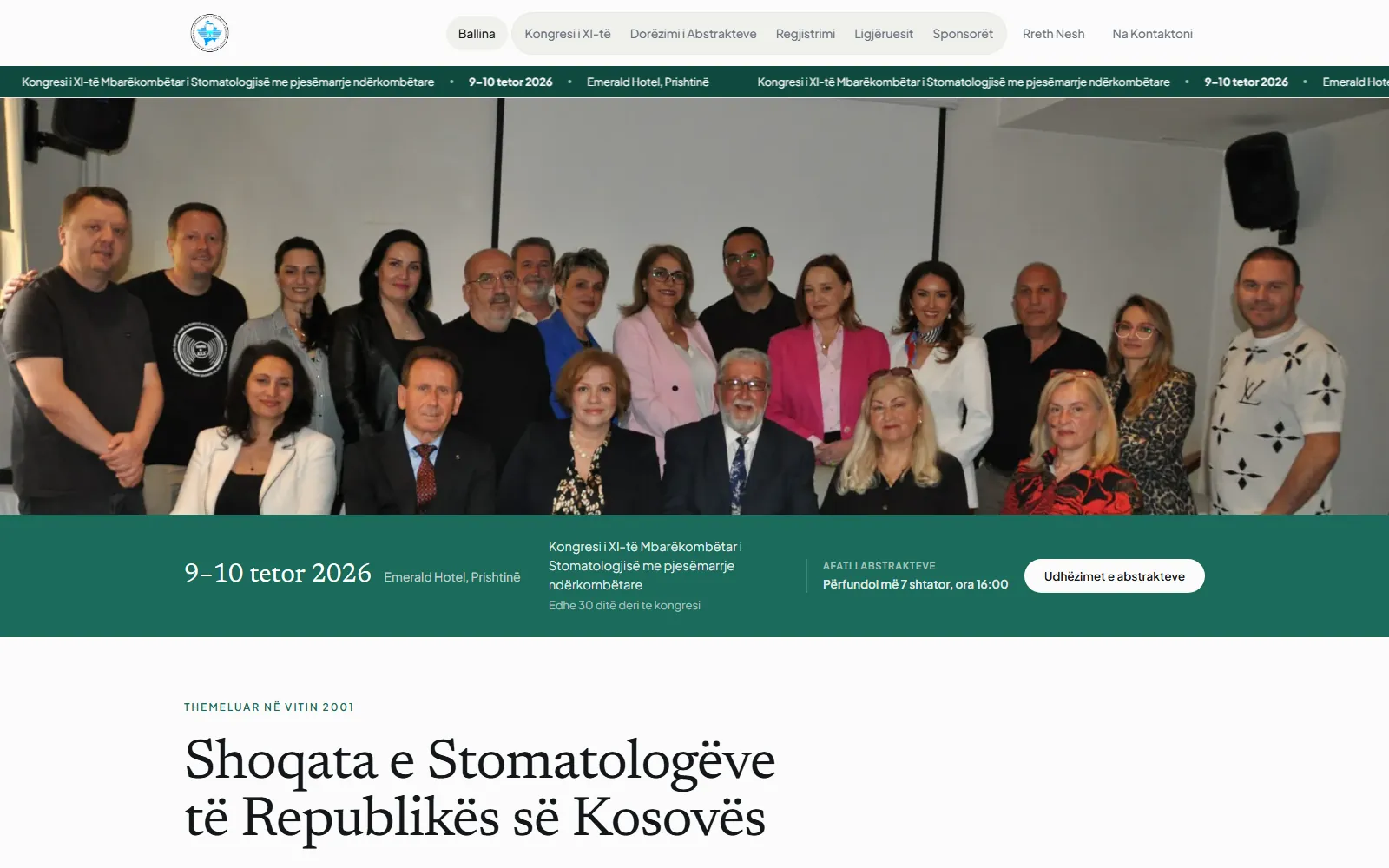
Overview
SHSRK needed to speak with institutional authority while making a live congress easy to navigate. Dental professionals had to find speakers, deadlines, accreditation and registration instructions; authors also needed a dependable way to submit scientific work.
We designed the public experience and engineered the workflow behind it as one system: every deadline, status and next step has one clear place, from the first visit through the private review decision.
One form in. A complete review trail out.
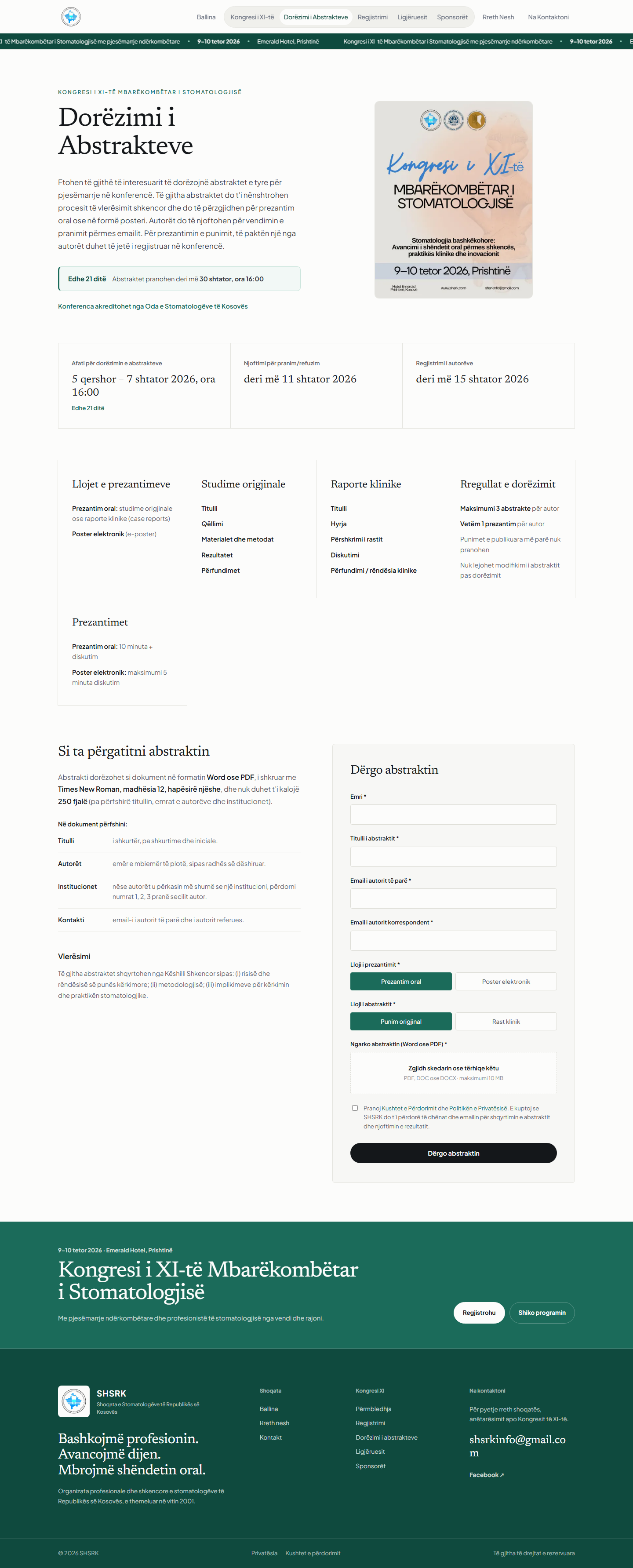
“Dërgo abstraktin” brings guidance, eligibility, formatting, consent and upload into one calm action. The system validates the submission, creates its ABS reference and places it directly in the committee’s review queue.
Everything an author needs, on one page.
The whole mobile journey, screen by screen.

Easy on the surface. Exact underneath.
Dates, permitted presentation formats, word count, required structure and evaluation criteria sit beside the form—not in a detached PDF.
Two clear choice groups replace ambiguous dropdowns. The upload area accepts PDF, DOC or DOCX up to 10 MB and the privacy consent is explicit.
A successful submission receives its own ABS reference. Both the first author and corresponding author addresses are retained for the decision trail.
From one form to a recorded decision.
The interface shows the live submission state, while the server checks the same deadline again when the form is sent.
Files are renamed, type-checked and saved beyond the public route. Downloads are delivered only through the authenticated admin boundary.
Required fields, valid email addresses, privacy consent, file extension, MIME type and size are checked before a record is created.
The committee receives a structured, searchable database record, with notification support built directly into the workflow.
The decision writes and sends the email.
Review communication is automated inside the same admin action. When the committee changes a status or updates the author-facing message, saving the review sends a branded email to both the first-author and corresponding-author addresses.
The subject carries the ABS reference and new status. The email includes the paper details, the committee’s message when provided, and a reply path back to SHSRK—so the decision and the communication cannot drift into separate processes.
If the committee moves a paper back to “E re”, both author contacts receive the updated status.
Authors are automatically told that the Scientific Council is reviewing the abstract.
The email confirms the positive decision and can include a specific message from the committee.
The admin must write the author-facing message before this state can be saved, ensuring the request arrives with useful direction.
A committee message is required and delivered with the abstract reference and paper details.
The committee receives the new abstract with its document attached and a link to the admin panel. Authors receive a confirmation carrying their unique ABS reference.
If the first-author and corresponding-author fields contain the same address, the system sends one message rather than two copies.
An email is generated when the status changes or when a non-empty author message is updated—not every time an internal note is saved.
The review decision remains recorded, while the admin receives a warning if SMTP delivery fails instead of a misleading success message.
Every submission becomes an organised review record.
The protected console gives the scientific committee an immediate picture of the workload: total submissions, new papers, active reviews and accepted work. Search reaches author, title and reference code; every status is visible without opening a row.
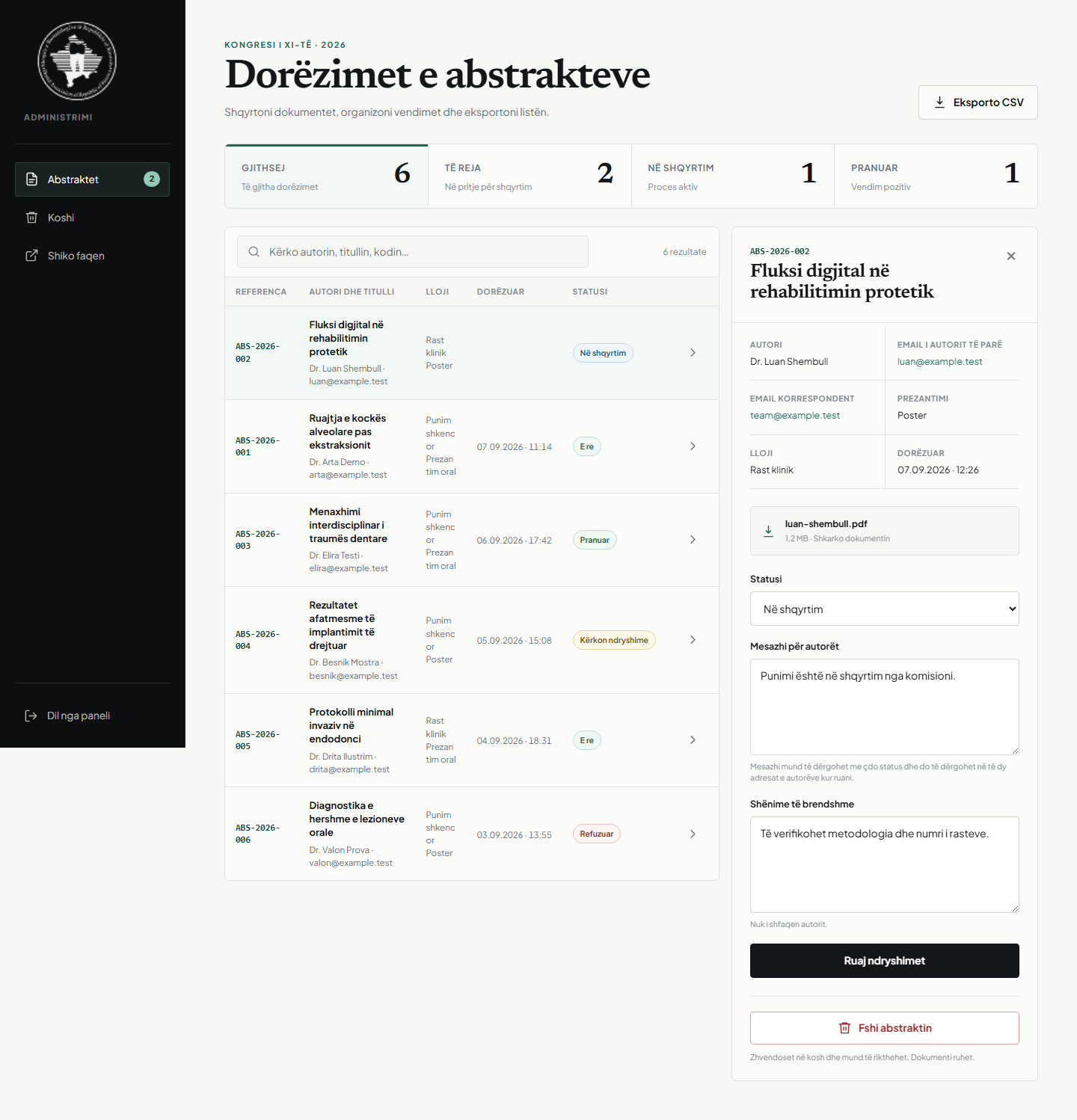
The system keeps the document, review state, author communication and internal note attached to the same traceable submission record.
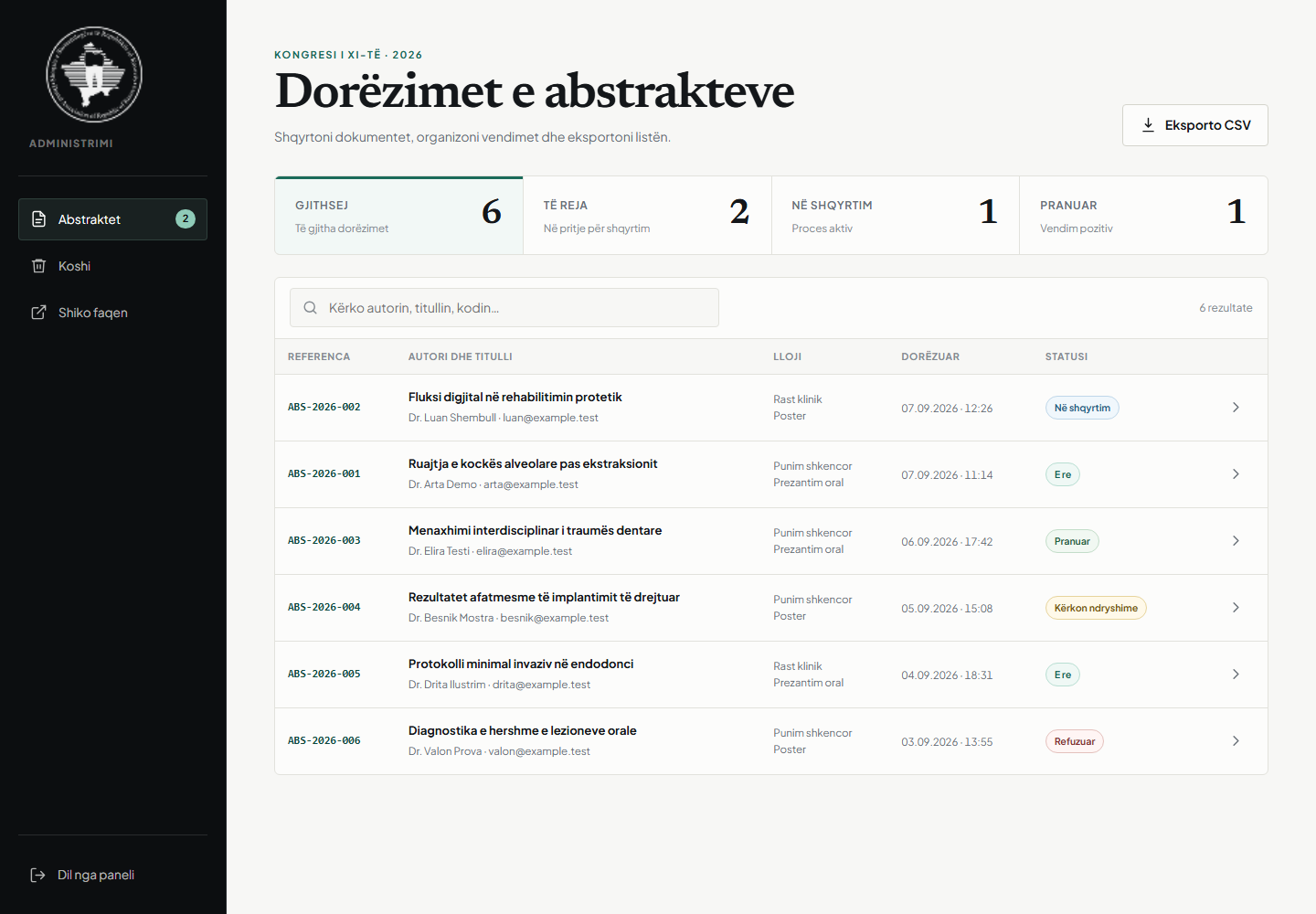
This case-study capture runs the real admin interface against a separate local database populated with clearly fictional authors and example.test addresses.
A full review, without leaving the queue.
Case-study environment: every name, title, email address, count and review comment in the admin images below is synthetic. The interface is real; no private production submission is shown.
The complete admin flow on a phone.
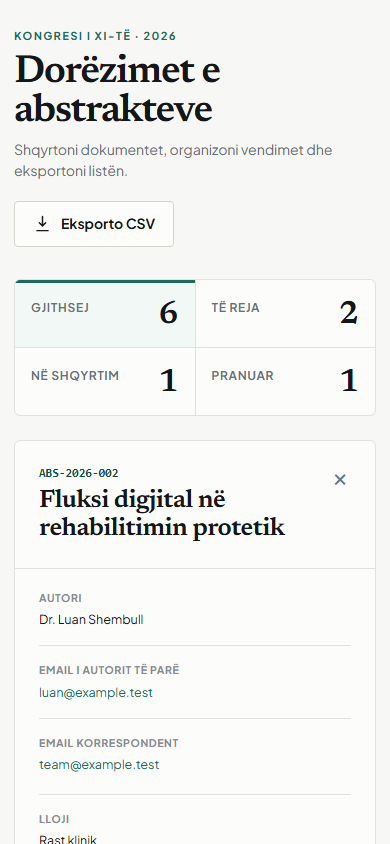
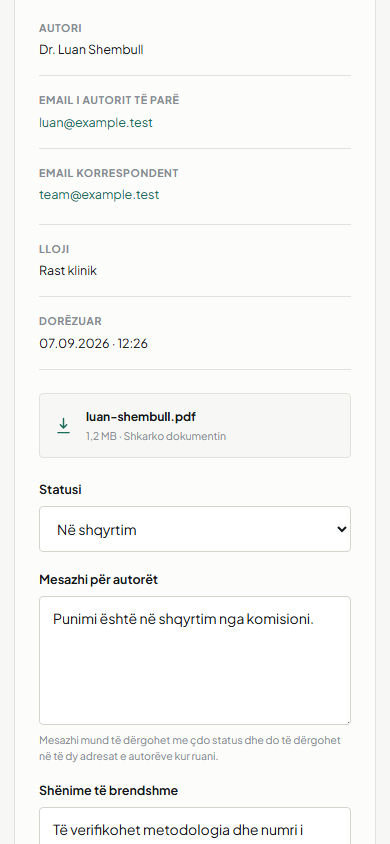
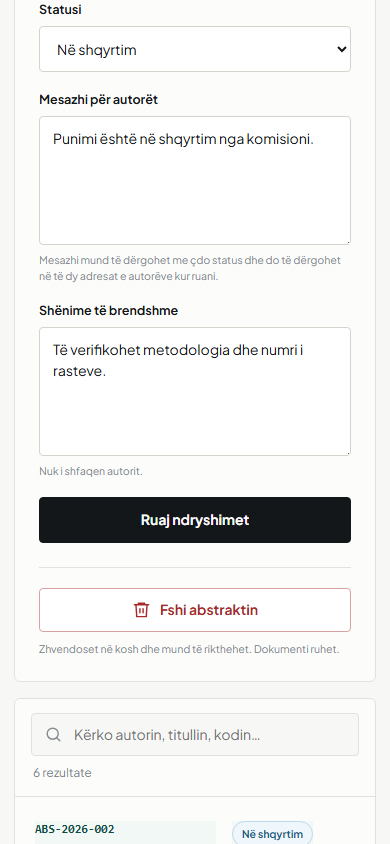
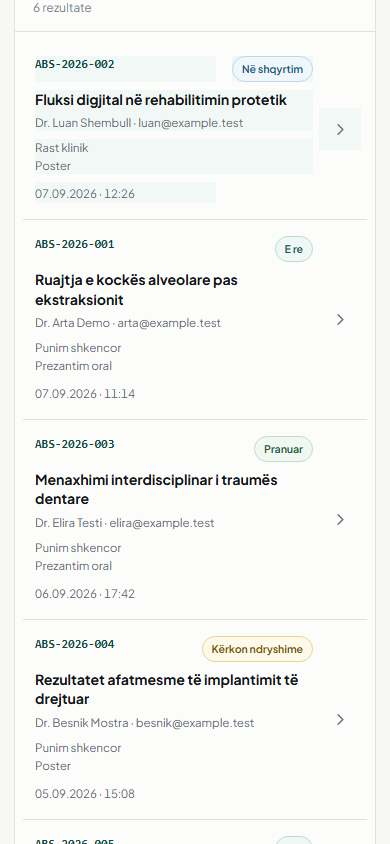
New, in review, accepted, changes requested and rejected give the committee a shared vocabulary for progress.
The author receives only the decision message. Internal review notes stay private and are explicitly labelled as such.
The working list can be exported as CSV, while documents remain behind the authenticated session.
Removing a submission sends it to trash first. It can be restored before any deliberate permanent deletion.
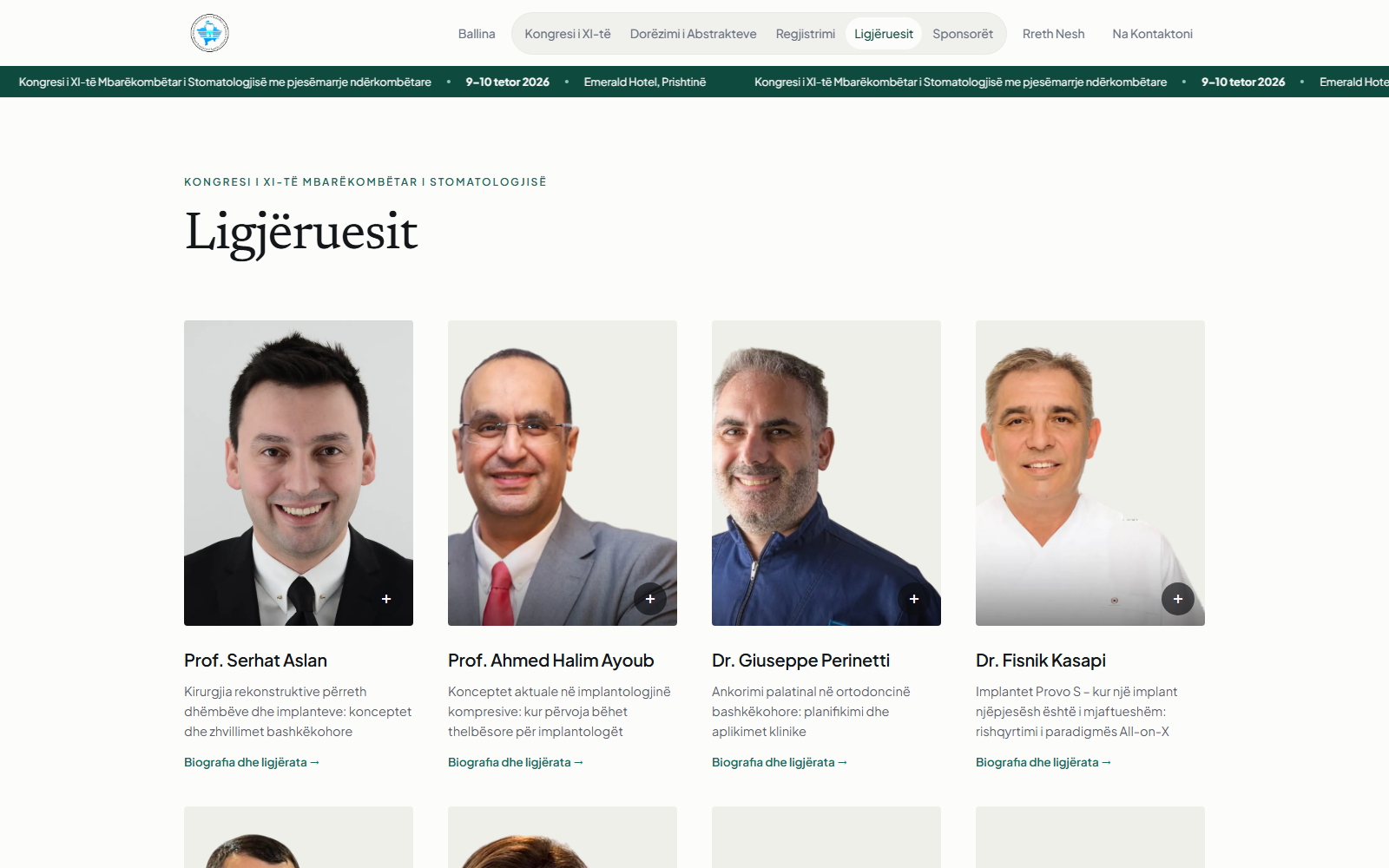
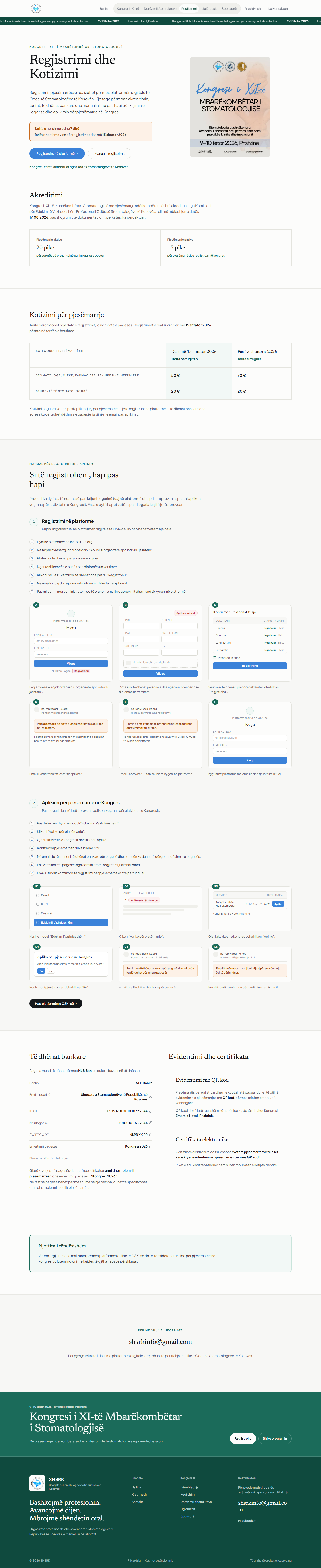
The congress around the workflow.
Engineering
The system is intentionally modest to operate: plain PHP, no build step and no runtime JavaScript framework. It deploys to SHSRK’s existing shared-hosting environment, uses SQLite by default or MySQL when configured, and keeps fonts, portraits and public photography on the same origin.