In short
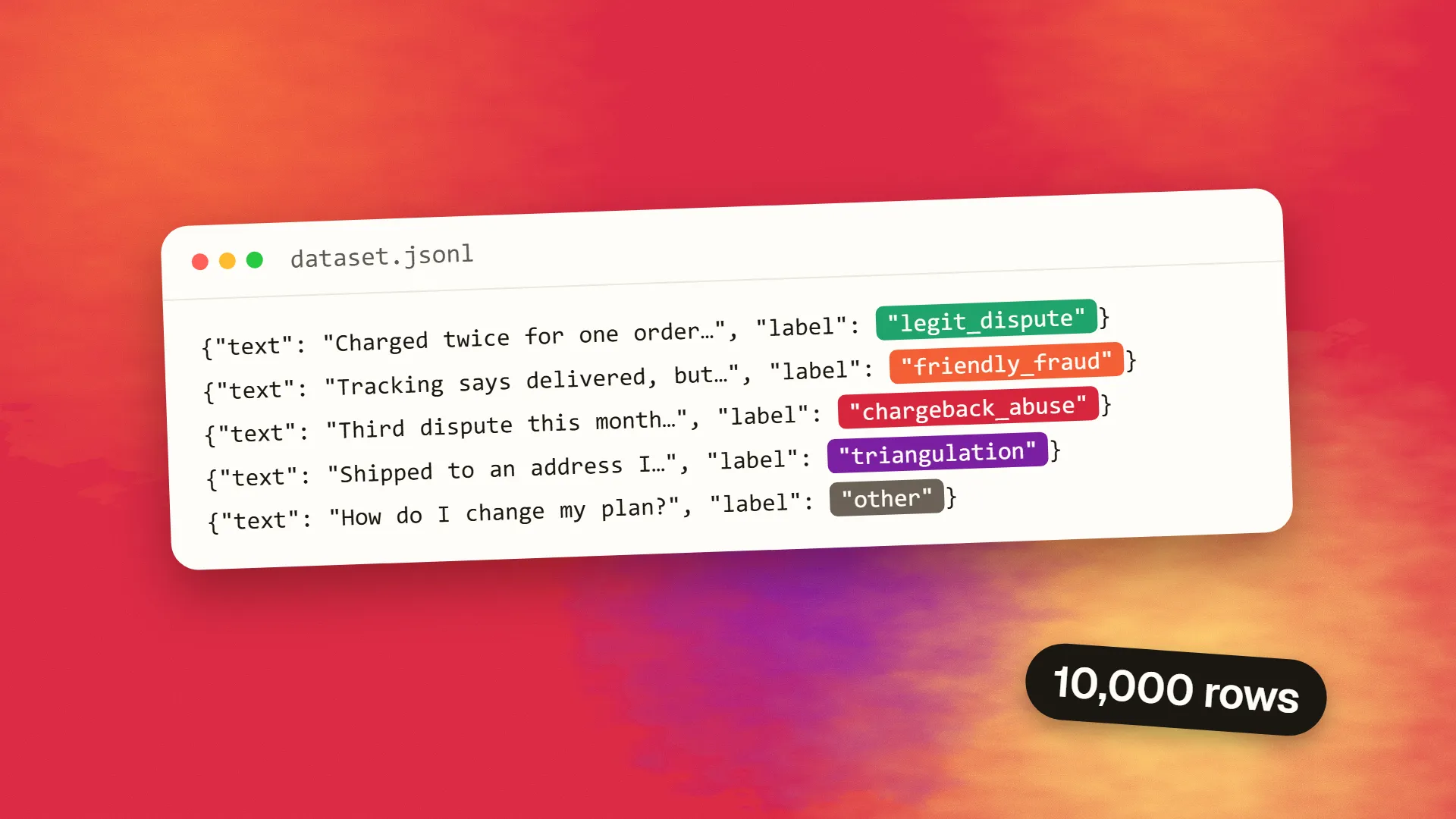
Generate synthetic training data in seven steps. Define each label with boundary notes before prompting. Enforce a JSON schema with structured output. Control diversity with a grid of dimensions (label, product, channel, tone, language, difficulty) and generate one batch per cell, including deliberately hard cases. Generate small batches under the provider's output cap, recording model, prompt version and date. Validate, deduplicate and check for leakage and PII in code. Relabel every example blindly with an independent pass and send disagreements to humans. Review per label, not at random. A 10,000-example set costs about $2 to $6 in tokens on DeepSeek V4.1 Flash, far less than the human review. Check the model licence and provider terms before training on outputs, and keep real data for the final evaluation.
When synthetic data is the right tool
Synthetic data is labelled examples written by a model instead of collected from the real world. It is worth generating when real data is scarce, sensitive or unbalanced. Typical cases:
- a fraud classifier with eleven confirmed chargeback-abuse cases;
- a support router that has never seen a refund request in Albanian;
- a moderation model that needs hard negatives;
- an evaluation set for a feature that hasn't launched, so no real traffic exists yet.
It is not a substitute for real data. Models write in a recognisable voice, over-represent the obvious cases and invent patterns that don't occur in the wild. A model trained only on synthetic examples learns the generator's habits as well as the task. The working rule is to use synthetic data to fill gaps, and to evaluate on real data wherever you can.
This tutorial walks through a pipeline that produces a dataset you can trust: schema first, controlled diversity, validation in code, an independent label check, and a human review that targets the right rows. The examples use SolCard Inference's API, an OpenAI-compatible service built on DeepSeek V4.1 Flash and GLM-5.3, because it is positioned for exactly the sensitive cases (fraud, abuse, adversarial content) that mainstream models often refuse to write. Any provider with structured output will work.
Step 1: define the labels before you write a prompt
Most bad synthetic datasets fail here, not in generation. Write down, in plain language, what each label means and where its boundaries are, including the cases that sit between two labels.
For a dispute classifier, that might be:
| Label | Definition | Boundary note |
|---|---|---|
| legit_dispute | The customer was genuinely charged wrongly or didn't receive what was paid for | Includes duplicate authorisations, even when the customer's tone is hostile |
| friendly_fraud | The customer received the goods but claims otherwise | Requires evidence of delivery in the text; otherwise legit_dispute |
| chargeback_abuse | A pattern of disputes across accounts, cards or orders | A single dispute is never this label |
| triangulation | Goods bought with a stolen card and shipped to a third party | Mentions a drop address or a cardholder who didn't place the order |
| other | Not a dispute | Always include an escape label |
These definitions go into every generation prompt, and later into the verification prompt. If two people on your team would label the same example differently, fix the definition before you spend a cent on tokens.
Step 2: write the schema
Give each example a fixed shape and enforce it with structured output, so you never parse free text. A minimal schema has the text and label, plus metadata that pays for itself later:
- scenario: which cell of your diversity grid produced the example;
- difficulty: easy or hard;
- rationale: one sentence, which is useful in review and can be dropped before training.
{
  "type": "object",
  "properties": {
    "examples": {
      "type": "array",
      "items": {
        "type": "object",
        "properties": {
          "text": {"type": "string"},
          "label": {"type": "string", "enum": ["legit_dispute", "friendly_fraud", "chargeback_abuse", "triangulation", "other"]},
          "difficulty": {"type": "string", "enum": ["easy", "hard"]},
          "rationale": {"type": "string"}
        },
        "required": ["text", "label", "difficulty", "rationale"]
      }
    }
  },
  "required": ["examples"]
}
Step 3: control diversity on purpose
Asking for "10,000 varied examples" produces 10,000 variations on the same five. Diversity has to come from your prompts, not from the model's goodwill. Build a grid of the dimensions that matter for your task and generate one batch per cell. For the dispute classifier, the dimensions might be:
- label;
- product type: physical goods, digital, travel, subscription;
- channel: email, chat, phone transcript;
- customer tone: calm, angry, confused;
- language;
- difficulty, where "hard" means it shares surface features with a different label.
Four labels, four product types, three channels, three tones and two difficulties already make 288 cells. Ask for 25 to 40 examples per cell and you get breadth by construction, with known coverage you can report.
Two further habits help:
- Show a few real examples, if you have any, as style references, not as templates. Tell the model to match register and length, not content.
- Ask explicitly for the hard cases. Hard examples near a label boundary are what a classifier actually learns from, and models default to easy ones.
Step 4: generate in small, structured batches
Keep each call well under the provider's output limit. SolCard caps a reply at 32,768 tokens, so 25 to 40 short examples per call leaves plenty of room. Here is one batch in Python with the OpenAI SDK:
from openai import OpenAI
import json, os
client = OpenAI(base_url="https://api.solcardinference.ai/v1",
                api_key=os.environ["SOLCARD_INFERENCE_KEY"])
def generate(cell, n=30):
    reply = client.chat.completions.create(
        model="solcard-inference-fast",
        response_format={"type": "json_schema",
                         "json_schema": {"name": "batch", "schema": SCHEMA}},
        temperature=1.0,
        messages=[
            {"role": "system", "content": LABEL_DEFINITIONS},
            {"role": "user", "content": f"Write {n} {cell['difficulty']} examples labelled "
             f"{cell['label']}: {cell['product']} purchases, via {cell['channel']}, "
             f"customer tone {cell['tone']}, in {cell['language']}. Vary names, amounts, "
             f"length and structure. Return JSON matching the schema."},
        ],
    )
    return json.loads(reply.choices[0].message.content)["examples"]
Run cells in parallel up to your concurrency limit; on SolCard that is 5 requests in flight on pay-as-you-go and 16 on the Max plan. Let the SDK retry 429 rate_limited, 429 concurrency_limited and 503 server_busy with backoff. Leave reasoning off on the fast model unless quality demands it: reasoning tokens are billed as output and add up across hundreds of calls.
Record the model ID, temperature, prompt version and date with every batch. You will need them when someone asks where an example came from.
Step 5: validate and deduplicate in code
Structured output guarantees the shape, not the quality. Run every row through checks before anything reaches a human:
- Schema and enum validation. Reject rows with unknown labels or empty text.
- Length and language checks. Drop texts outside your expected range, or in the wrong language.
- Exact and near-duplicate removal. Hash the normalised text for exact matches. For near-duplicates, compare embeddings or MinHash signatures and drop pairs above a similarity threshold. Generated sets often contain a surprising share of near-duplicates, which quietly inflate evaluation scores.
- Leakage checks. Make sure no synthetic example is a near-copy of a real example in your evaluation set. Otherwise you are testing on your training data.
- PII scan. Models invent realistic-looking names, card numbers and addresses. Make sure none of them is real, and use obviously fake formats for anything that resembles a card or account number.
Step 6: check the labels with a second pass
The generator wrote each example to fit a label, so it is a biased judge of whether it did. Have an independent pass label every example blind: a different model, or the same model with only the definitions and the text, never the intended label. Then compare.
- Agreement: keep the row.
- Disagreement: send the row to human review. These are often your most valuable hard cases, or evidence that a definition is ambiguous.
- High disagreement on one label: fix that label's definition and regenerate its cells. Don't patch individual rows.
Step 7: review the right sample
Don't review a random 1% and call it done. Review three slices:
- every disagreement from Step 6;
- a fixed number of rows per label, so rare labels get as much attention as common ones;
- extra rows from the "hard" cells.
Track the error rate per label. If any label is above a few percent wrong, the dataset is not ready.
What it costs
Take a 10,000-example dataset generated in batches of 25:
- Generation: 400 calls of about 1,200 input and 3,000 output tokens each.
- Verification: 400 calls of about 3,500 input and 300 output tokens each.
At published rates on 31 October 2026:
| Provider and model | Generation | Verification | Total |
|---|---|---|---|
| SolCard Inference Fast (DeepSeek V4.1 Flash) | $3.60 | $2.05 | ≈ $5.65 |
| SolCard Inference Large (GLM-5.3, always reasons) | $9.30 + reasoning | $6.00 + reasoning | ≈ $15 + reasoning |
| DeepSeek V4.1 Flash via Venice | $1.58 | $0.56 | ≈ $2.15 |
At these volumes the token bill is small next to the cost of human review. Choose the provider on whether it will write your cases reliably and on its data terms, not on the per-token difference. If the data is sensitive, where the prompts go matters more than what they cost. Our guide on sending sensitive data to an LLM covers the questions to ask.
Licences and terms: check before you train
Using a model's output to train another model is governed by up to three documents, and they differ.
- The model's licence. DeepSeek V4.1 Flash is reported as MIT-licensed. GLM-5.3 ships under a bespoke Z.ai licence, not MIT. Coverage of it centres on a revenue threshold for large commercial providers, and its treatment of training on outputs needs checking in the licence text itself. Read the LICENSE file on the model's Hugging Face page, not a summary.
- The provider's terms. The service you call has its own terms of use, which may restrict how outputs are used, independent of the model licence.
- Your own obligations. If any real customer data went into the prompts as examples, your privacy commitments to those customers apply to everything derived from them.
Handling sensitive synthetic content
A dataset of realistic fraud scripts, abusive messages or attack descriptions is sensitive material even though nobody real is in it. Store it with access control. Label files clearly as synthetic. Keep it out of anything user-facing. Don't let it leak into general-purpose training corpora where it could teach a model to produce the content rather than to detect it.
Checklist
- Label definitions with boundary notes, agreed by two people.
- A JSON schema enforced with structured output.
- A diversity grid, with one batch per cell and explicit hard cases.
- Small batches, parallel within rate limits, with model, prompt version and date recorded.
- Validation, deduplication, leakage and PII checks in code.
- Blind relabelling by an independent pass, with disagreements sent to humans.
- Review per label and per difficulty, with an error-rate threshold.
- Licence and terms checked for the model and the provider.
- Real data held out for the final evaluation.
Synthetic data done this way is one of the most cost-effective uses of a language model. Done carelessly, it produces a classifier that is excellent at recognising its generator's writing style. For choosing the model behind the pipeline, see how to choose an LLM for your product.
Common questions
What is synthetic training data?
Labelled examples written by a model rather than collected from real users or events, used to train or evaluate another model. It is most useful when real data is scarce, sensitive or unbalanced, such as rare fraud patterns, new languages or hard negative examples for a classifier.
How do I make synthetic data diverse?
Do not rely on asking for 'varied' examples. Build a grid of the dimensions that matter, such as label, product, channel, tone, language and difficulty, and generate one batch per cell. Explicitly request hard examples that share surface features with a different label, and use a few real examples only as style references.
How do I check synthetic labels are correct?
Have an independent pass label every example blind, using only the label definitions and the text, never the intended label. Keep examples where the two agree, send disagreements to human review, and if one label shows high disagreement, fix its definition and regenerate rather than patching rows.
How much does it cost to generate 10,000 synthetic examples?
At 31 October 2026 rates, about $5.65 on SolCard Inference Fast and about $2.15 on DeepSeek V4.1 Flash via Venice, covering generation in batches of 25 plus a verification pass. A reasoning model such as GLM-5.3 costs roughly three times more before reasoning tokens. Human review is usually the larger cost.
Can I train a model on another model's outputs?
It depends on the model licence and the provider's terms. DeepSeek V4.1 Flash is reported as MIT-licensed; GLM-5.3 uses a bespoke Z.ai licence whose terms should be read in full on its Hugging Face page. The API provider's own terms of use may add restrictions, and any real customer data used in prompts carries your privacy obligations into the dataset.
Should I use only synthetic data to train a model?
No. Models trained only on synthetic data learn the generator's habits along with the task. Use synthetic data to fill gaps and balance classes, and evaluate on real data wherever possible, checking that no synthetic example is a near-copy of an evaluation example.
