In short
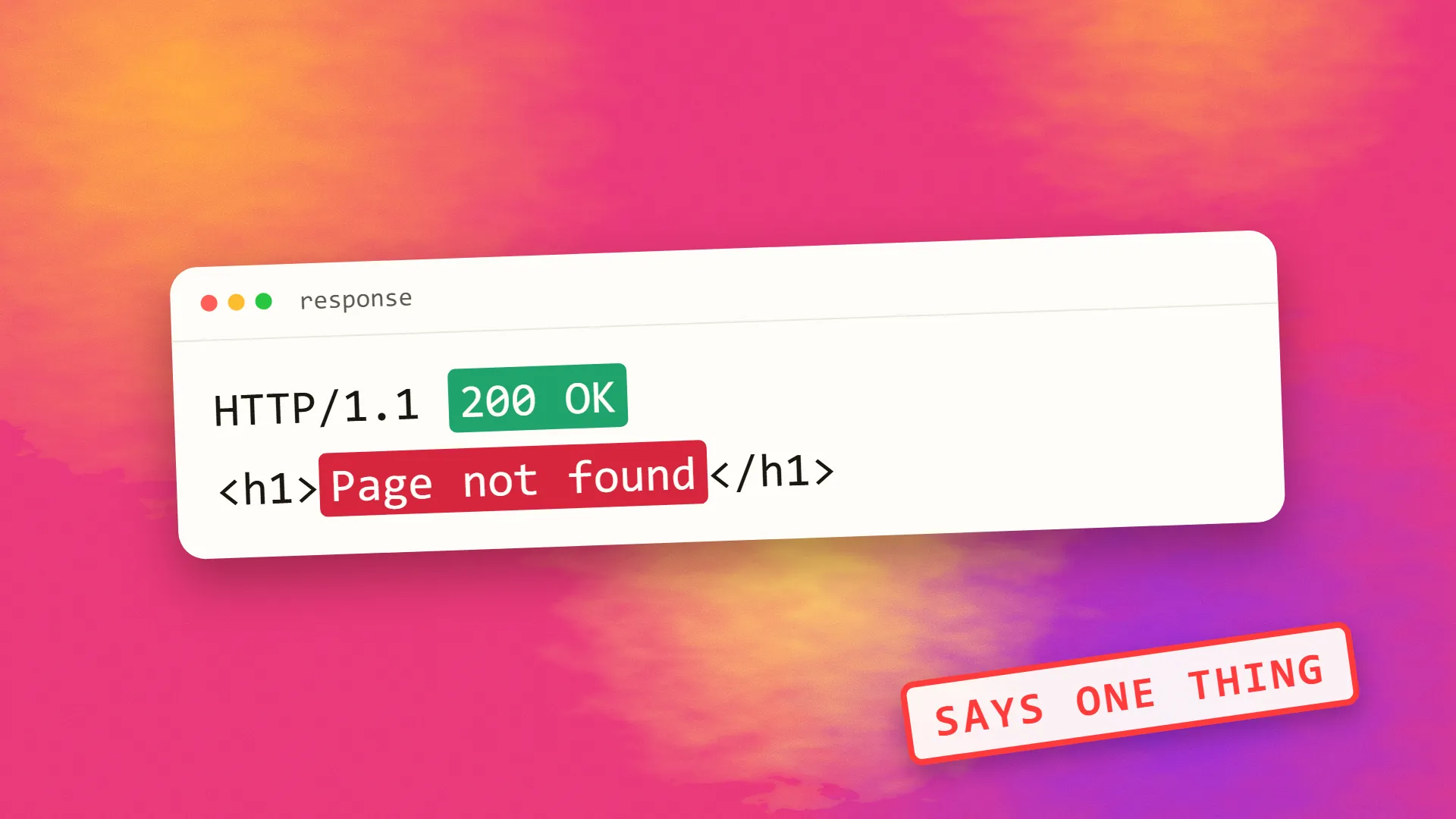
A soft 404 is a page that returns a 200 success status code but whose content indicates that nothing is there: a custom 'page not found' message served with a 200, an empty search or category listing, a product page with no product, or a thin placeholder, and, in Google's classification, a page that redirects to an unrelated page such as the homepage. Google detects them, labels them in Search Console, and excludes them from the index. The fix is to return a real 404 or 410 for missing content, populate or noindex empty listings, and redirect only to genuinely equivalent pages.
What it is
HTTP has status codes for a reason: 200 means the request succeeded and here is the page; 404 means nothing exists at this address; 410 means it existed and is gone. Crawlers rely on them. A page that returns 200 is treated as a real page to index; a page that returns 404 is dropped.
A soft 404 breaks the contract. The server says 200; the page says "Sorry, we couldn't find that" or shows nothing at all. Google, which reads the content as well as the code, classifies such pages as soft 404s: they look like missing pages, whatever the header claims, and they are excluded from the index accordingly. Search Console lists them under "Soft 404" in the Pages report.
| The page says | The server says | Verdict |
|---|---|---|
| Here is the article | 200 | Correct |
| Page not found | 404 | Correct |
| Page not found | 200 | Soft 404 |
| No products in this category | 200 | Likely soft 404 |
Why it matters
Every soft 404 is a page Google fetched, processed and discarded, which on a large site is crawl budget spent on nothing. A site with many of them looks poorly maintained. And the classification is Google's judgement, which it sometimes applies to pages the owner considers real but thin, which is a signal that those pages need work. The classification also affects the URLs that should have been real 404s: a missing page that returns 200 stays in the index far longer than one that returns 404, so old URLs linger in results pointing at nothing.
The common causes
A custom not-found page served with 200. The most common. The CMS or framework shows a friendly "page not found" template but the server returns success. Single-page applications are particularly prone: the app's router shows a not-found view, but the server delivered the app shell with a 200 for every path.
Empty listings. A category with no products, a search with no results, a tag with no posts, an archive for a month with nothing in it. The template renders, the code is 200, and the content says there is nothing here.
Removed content on a live URL. A product that was deleted, a listing that expired, a profile that was removed, still rendering a page with the shell and a message that the item is unavailable.
Thin placeholders. Pages with a title and no body, "coming soon" pages, template pages nobody filled in.
Redirects to the homepage. Google treats a redirect from a removed page to the homepage or another unrelated page as a soft 404, because the destination does not replace the original; the 301 versus 302 choice does not matter here, the relevance does.
Pages that fail to render. Content loaded by JavaScript that errors or times out during Google's rendering, leaving an empty page with a 200.
Finding them
Search Console's Pages report groups excluded URLs by reason, and "Soft 404" is one. Inspect a few with URL Inspection to see what Google rendered. A site crawler set to flag pages with very little content, or with "not found" text and a 200 status, catches them before Google does. Server logs showing 200 responses for paths that should not exist confirm the not-found-with-200 case.
The fix for each cause
Not-found pages: return a real 404 status with the friendly template. Every framework and CMS supports this; single-page apps need the server to return 404 for unknown paths, or the app to set the status through server rendering.
Removed content: return 410 Gone if it will not return, or 404, so Google drops it promptly. If a genuinely equivalent page exists, redirect there; if not, do not redirect to the homepage.
Empty listings: either populate them, noindex them while empty, or return 404 for categories and tags with nothing in them. For search results pages, noindex them always; they should not be in the index.
Thin placeholders: finish them, noindex them, or remove them. This overlaps with the thin content problem generally.
Rendering failures: fix the script or serve the content in HTML so rendering is not required.
Redirects to the homepage: replace with a redirect to a relevant page, or a 404.
After fixing, request validation in Search Console and expect the report to clear over a few weeks as Google recrawls.
Doing it right from the start
A site returns 404 for anything that does not exist, 410 for anything deliberately removed, 200 only for pages with real content, and noindex on listing and search pages that may be empty. That is the whole discipline, and it keeps Google's picture of the site honest, which is the precondition for everything else in technical SEO. If Search Console is reporting soft 404s and the cause is not obvious, book a call; it is usually one template.
Common questions
What is the difference between a 404 and a soft 404?
A 404 is an honest response: the server returns status 404 and the page is not found. A soft 404 is a page that returns status 200, success, while its content indicates nothing is there, such as a not-found message, an empty listing or a removed product. Google detects the contradiction and treats the page as not found anyway.
Why does Google say my page is a soft 404?
Because the page returned a 200 status but Google's rendering found content that looks like a missing page: a not-found message, an empty category or search result, a removed item's placeholder, a near-empty template, or a page that redirected to the homepage. Inspect the URL in Search Console to see what Google rendered.
How do I fix soft 404 errors?
Return a real 404 or 410 status for pages that do not exist or have been removed, including custom not-found templates and single-page-app unknown routes; noindex or populate empty category and tag pages and always noindex search results; finish or remove thin placeholders; and redirect removed pages only to genuinely equivalent content, never to the homepage.
Do soft 404s hurt SEO?
They waste crawl on pages Google discards, make a site look poorly maintained, keep dead URLs in the index longer than a real 404 would, and, when Google applies the label to pages you consider real, signal that those pages are too thin. Fixing them is routine technical maintenance rather than a ranking lever.
Should an empty category page return a 404?
If the category is permanently empty, yes, or remove it. If it is temporarily empty, such as a seasonal collection, keep it live with a noindex tag until it has content, then remove the tag. Search results pages should be noindexed at all times regardless of whether they have results.
