In short
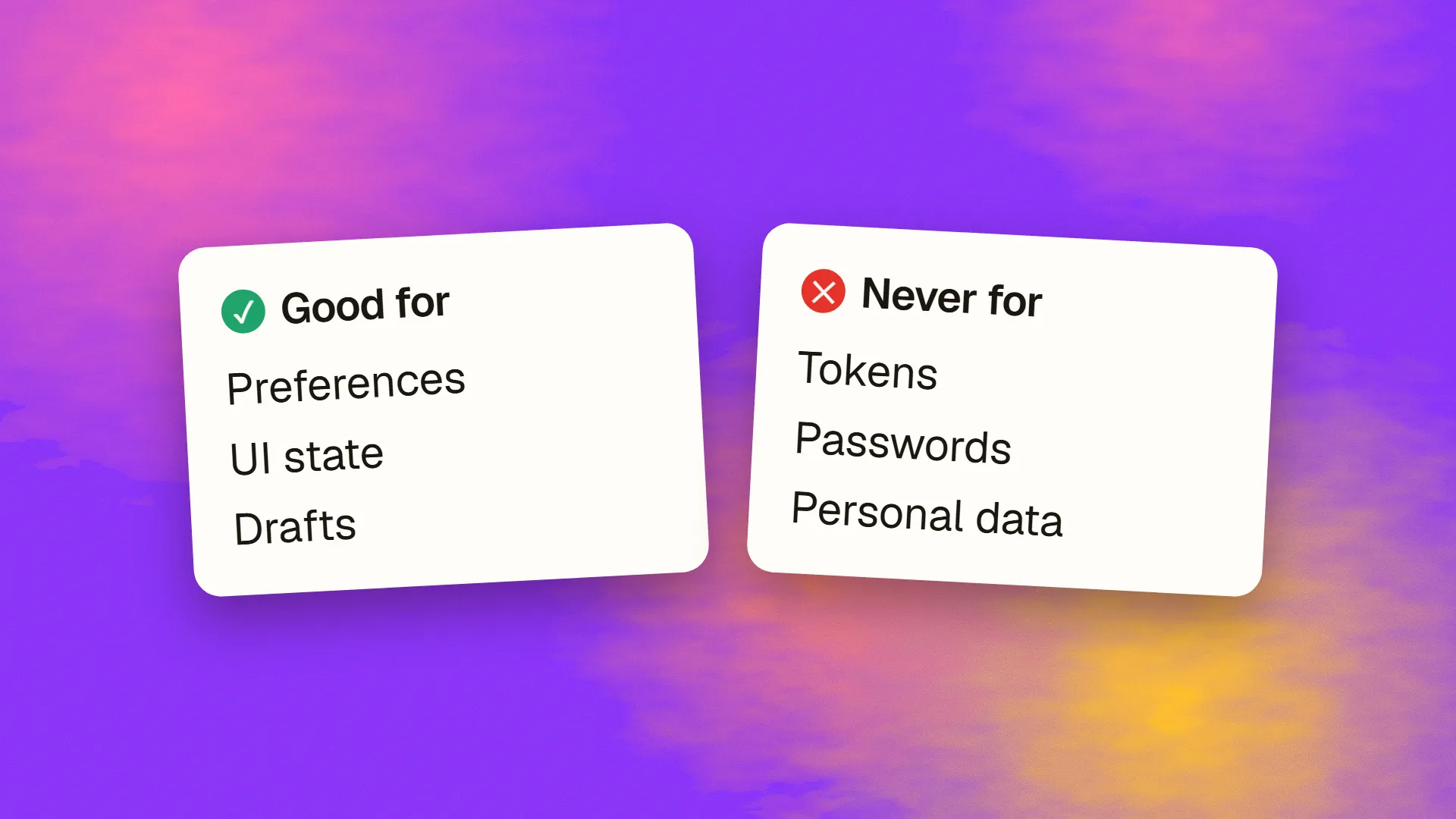
Local storage is a browser API that lets JavaScript on a website store key-value strings, up to about 5 MB, that persist across sessions and are readable by any script running on the same origin. It suits preferences, UI state, drafts and cached non-sensitive data. It is not safe for authentication tokens, personal data or anything confidential, because any cross-site scripting flaw or compromised third-party script on the page can read it in full, and unlike cookies it has no HttpOnly protection. Session tokens belong in HttpOnly cookies; larger structured data belongs in IndexedDB.
What it is
The Web Storage API gives every origin two simple key-value stores in the browser. localStorage persists until cleared by the site or the user; sessionStorage lasts for one tab and is gone when the tab closes. Both hold strings, keyed by name, with a capacity of roughly 5 MB per origin depending on the browser.
localStorage.setItem("theme", "dark");
const theme = localStorage.getItem("theme");
localStorage.removeItem("theme");
Unlike a cookie, local storage is never sent to the server automatically. It exists for the page's own JavaScript, on the user's device, and nothing else reads it unless a script sends it somewhere.
Local storage, session storage, cookies, IndexedDB
| Local storage | Session storage | Cookies | IndexedDB | |
|---|---|---|---|---|
| Lifetime | Until cleared | One tab | Set by expiry | Until cleared |
| Sent to server | No | No | Yes, every request | No |
| Capacity | ~5 MB | ~5 MB | ~4 KB each | Large |
| Data type | Strings | Strings | Strings | Structured objects, indexed |
| Readable by page scripts | Yes | Yes | Unless HttpOnly | Yes |
| Suited to | Preferences, UI state, drafts | Per-tab state | Sessions, small server-read values | Offline data, large caches |
Why it is unsafe for secrets
Everything in local storage is readable by any JavaScript running on the origin. That includes the site's own code, every third-party script it loads (analytics, chat widgets, ad tags, A/B tools), and any script an attacker manages to inject through a cross-site scripting flaw. One vulnerable input field, one compromised dependency, one tag manager misconfiguration, and a single line of injected code can read the entire store and send it to a server the attacker controls.
That is why storing an authentication token in local storage is the mistake security reviewers flag most often in front-end code. A stolen token is a stolen session, and there is no way to protect local storage from script the way a cookie can be protected with the HttpOnly flag, which keeps it out of JavaScript's reach entirely. Session and refresh tokens belong in HttpOnly, Secure, SameSite cookies; the sessions versus JWT discussion covers the patterns.
The same reasoning applies to anything personal or confidential: names, addresses, account details, messages, health data. If it would be a breach for a third party to read it, it does not belong in local storage.
Which panel was open
Unsent form drafts
Small caches of public data
Anything personal
Anything confidential
What it is good for
- Preferences: theme, language, dismissed notices, layout choices.
- UI state: which panel was open, the last tab, filter settings.
- Drafts: unsent form text so a reload does not lose it, provided the form is not itself sensitive.
- Feature flags and onboarding progress that are not security-relevant.
- Small caches of public data to avoid a refetch.
- Consent choices, so the cookie banner does not reappear.
The test: if a stranger read it, would anyone be harmed? If no, local storage is fine and convenient.
Practical limits
It stores strings only, so objects must be serialised with JSON. It is synchronous, so large reads and writes block the page; keep entries small. It can be full, disabled, or throw in private browsing on some browsers, so every access should be wrapped in a check and the page must work without it. It is per origin, so a subdomain has its own store, and it is cleared when the user clears site data, so nothing in it can be relied on to persist.
For structured data, offline caches or anything over a few hundred kilobytes, IndexedDB is the right tool: asynchronous, indexed, and built for volume.
A common pattern, done safely
A single-page application that keeps a user logged in is the case where the temptation is strongest. The safe arrangement is for the server to set the session or refresh token as an HttpOnly cookie on login, for the browser to send it automatically with API requests to the same site, and for the front end to keep in local storage only what it needs to render: the user's display name, chosen theme, and whether onboarding was completed. If the API lives on a different origin, the cookie needs the right SameSite and CORS settings rather than a move into storage. The front end then never holds a credential, and an injected script finds nothing worth stealing.
Privacy law
The ePrivacy rules that require consent for non-essential cookies apply to any storage on the user's device, local storage included. Storing an analytics identifier in local storage to avoid the cookie rules does not avoid them. Preferences and functional state the user asked for are exempt; tracking is not.
The rules
Preferences and harmless state in local storage. Tokens and sessions in HttpOnly cookies. Personal and confidential data on the server, fetched when needed. Large or structured client data in IndexedDB. Everything wrapped in error handling. And a periodic look at what the site actually has in there, because it accumulates. If a review of your front end finds tokens in local storage, book a call; moving them to cookies is a contained change and one worth making before the flaw that would have exposed them.
Common questions
Is local storage secure?
Not for anything sensitive. Any JavaScript on the same origin can read it, including third-party scripts and anything injected through a cross-site scripting flaw, and it has no equivalent of the HttpOnly cookie flag. It is safe for preferences and harmless UI state; authentication tokens, personal data and confidential information do not belong in it.
Should I store a JWT in local storage?
No. A token in local storage can be read and exfiltrated by any script that runs on the page, turning one XSS flaw or one compromised dependency into stolen sessions. Store session and refresh tokens in HttpOnly, Secure, SameSite cookies, which JavaScript cannot access, and keep tokens out of client-side storage entirely.
What is the difference between local storage and session storage?
Both are key-value string stores of about 5 MB per origin readable by page scripts. Local storage persists until the site or user clears it and is shared across tabs; session storage lasts for a single tab and is discarded when it closes. Use session storage for per-tab state and local storage for preferences that should survive.
What is the difference between local storage and cookies?
Cookies are small, sent to the server with every request, and can be protected from JavaScript with HttpOnly, which makes them right for sessions. Local storage holds more, stays in the browser, is never sent automatically, and is always readable by scripts, which makes it right for preferences and wrong for secrets. Both are subject to consent rules when used for tracking.
When should I use IndexedDB instead of local storage?
For structured data, large amounts of data, offline caches, or anything needing indexing and queries. IndexedDB is asynchronous, so it does not block the page, and it stores objects rather than strings. Local storage is for small, simple values such as settings; anything beyond a few hundred kilobytes belongs in IndexedDB.
