In short
Claude Code is Anthropic's agent for software development, working in your codebase with terminal and Git access. Claude Cowork brings the same agent architecture to knowledge work such as documents, spreadsheets, research and file organisation, without a terminal. Both come with paid Claude plans, and on Team and Enterprise they share a usage allowance. Use Code for building software, and Cowork for producing finished work from files and apps.
The short answer
Anthropic describes Claude Code as an agentic coding tool that reads your codebase, edits files and runs commands. It describes Cowork as bringing that architecture to knowledge work, without requiring a terminal. So they share a foundation, but they're aimed at different work.
A note on the source: this article relies on Anthropic's own documentation, checked on 4 November 2026. It's a product guide rather than an independent test.
Side by side
| Claude Code | Claude Cowork | |
|---|---|---|
| Built for | Software engineering | Documents, research, data, files |
| Where it runs | Terminal, VS Code, JetBrains, desktop, web | Desktop, web, mobile, Chrome side panel |
| Works on | Your codebase, with Git and shell commands | Connected folders, connectors, browser |
| Typical output | Code changes, tests, pull requests | Reports, spreadsheets, organised files |
| Plans | Paid Claude plans, or API | Paid Claude plans |
| Customisation | ~/.claude, CLAUDE.md, hooks, skills, subagents | Connectors, skills and plugins through Customize |
What Cowork is good for
You describe an outcome, and it plans and carries out the steps. Typical tasks include:
- Organising a messy folder of files
- Turning notes and data into a formatted report or a spreadsheet
- Synthesising research from documents and the web
- Running a recurring job on a schedule
It's particularly useful for people who've never opened a terminal. It can read and write only in folders you connect on desktop, and cloud sessions run in an isolated environment on Anthropic's servers.
What Claude Code is good for
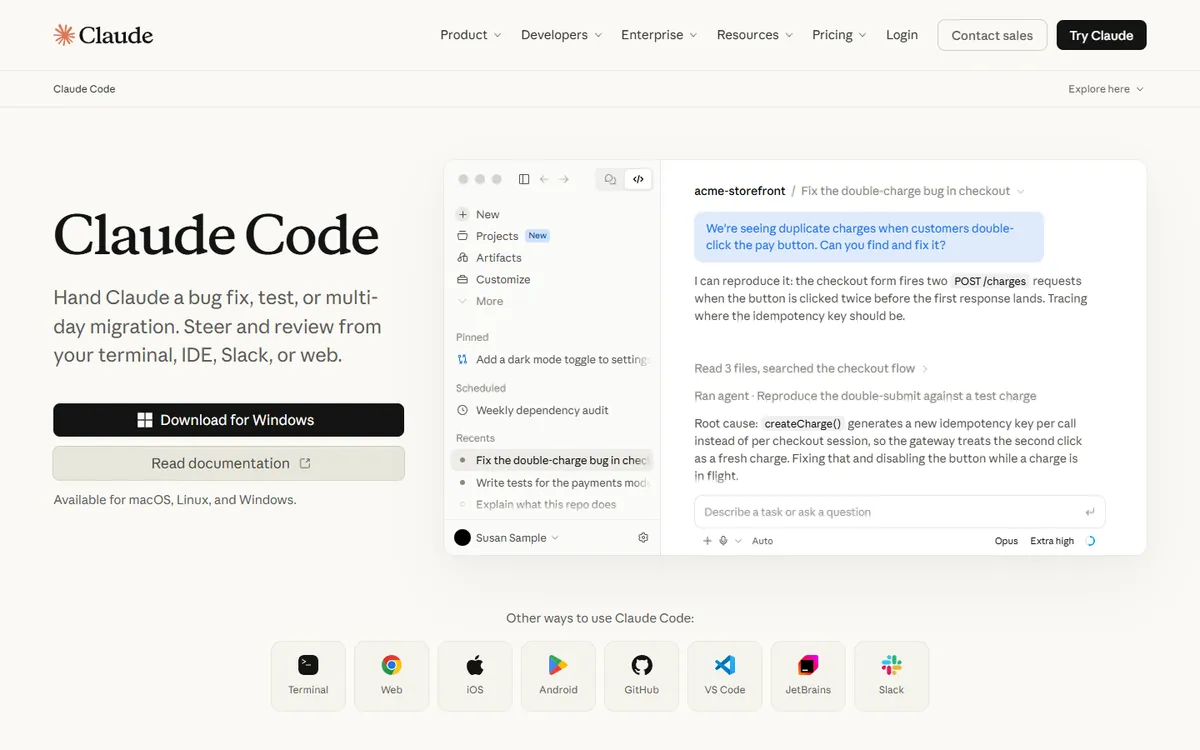
Anything where code is the product:
- Building features and fixing bugs across many files
- Writing tests, and running them until they pass
- Refactors, migrations and dependency updates
- Automating work in CI, such as pull request reviews
- Working directly with Git, including branches, commits and pull requests
It can also be scripted, as in piping logs into it, which doesn't really apply to Cowork. Our comparisons with Codex and Cursor cover its place among other coding tools.
Where they overlap
Small scripts. Cowork might write a throwaway script as a way to complete a data task. That's fine for a personal job, but if it's going to live in a repository, use Claude Code.
Data analysis. Either can process a spreadsheet. Use Cowork for a one-off report and Claude Code if the analysis should become maintained software.
Writing documentation. Claude Code is better when it should reflect the code; Cowork is better for a document built from meeting notes and files.
Skills. Skills are used in both, though Anthropic's docs note that Cowork doesn't read Claude Code's ~/.claude folder, so a skill that lives only there has to be added in Customize. See what Claude Skills are.
Access and safety
Both can take real actions, so treat them accordingly.
Cowork. Anthropic warns that “Cowork has unique risks due to its agentic nature and internet access”. It offers permission modes from Manual, where you approve each action, through Auto, to Skip, which is meant only for fully trusted tasks. It asks before permanently deleting files. Anthropic also notes that isolation protects your computer, but doesn't limit what Claude can do with the access you've granted.
Practical advice:
- Connect a specific folder, not your whole drive.
- Keep backups of anything you're reorganising.
- Be careful with web browsing and sensitive files in the same session, because a malicious page could try to instruct the agent. See how to stop prompt injection.
- Review the plan before approving it, especially at first.
Claude Code. It can run shell commands, so read its permission options, and don't keep production credentials within reach. See how to handle secrets and API keys.
Regulated data. Anthropic's BAA page lists different HIPAA coverage for each product's features, so check it before processing protected health information.
Usage and cost
There's no separate subscription to buy. Cowork is available on Pro, Max, Ultra, Team and Enterprise for desktop, and Claude Code comes with the same paid plans. Check the current availability for each surface, because some are in beta or need an admin to enable them.
On Team and Enterprise, each member's allowance is shared across chat, Claude Code and Cowork, and resets on a rolling five-hour window and a weekly window. That means a long coding session can eat into what's left for other work. Anthropic's guidance is to budget more for a coding seat than a chat seat, as coding turns carry file contents, tool calls and multi-step reasoning. See Claude Code pricing explained.
How to choose for a given task
Ask two questions:
- Will the result live in a code repository? If yes, use Claude Code.
- Is the result a document, a spreadsheet or tidied files? If yes, use Cowork.
For a team, think about who's using it as well:
- Developers: Claude Code, plus Cowork for occasional reports.
- Marketers, analysts, operations: Cowork.
- Founders: probably both.
Non-technical people can run into limits if they try to build a real app in Cowork. If you're heading that way, read can non-developers really vibe code a business app?. If it's an internal tool that will handle other people's data, get a developer involved.
If you'd like help rolling AI agents out across a team, safely, book a call.
Common questions
Do I need both Claude Code and Cowork?
Not necessarily. Developers will mainly want Claude Code, and non-technical staff will mainly want Cowork. Both come with paid Claude plans, so there's nothing extra to buy, although usage is shared on Team and Enterprise allowances.
Can Claude Cowork write code?
It can produce small scripts as part of completing a task, but it's built for knowledge work rather than software development. For anything going into a repository, Claude Code is the better tool, with Git integration and terminal access.
Is Cowork safe to use with my files?
It can only access folders you connect on desktop, but Anthropic warns of unique risks from its agentic nature and internet access. Connect only what's needed, keep backups, use the more cautious permission modes, and take care with sensitive data.
Are skills shared between Claude Code and Cowork?
Skills work in both, but Anthropic's docs say that Cowork doesn't read Claude Code's ~/.claude folder. A skill that exists only there must be added separately through Cowork's Customize area, or synced through your claude.ai account.
