In short
Choose Cursor if you want an AI-first editor with autocomplete, inline edits and a choice of models. Choose Claude Code if you prefer delegating larger tasks to an agent from your terminal or IDE, and you are happy using Anthropic's models. They are not exclusive: Claude Code installs as an extension inside Cursor. Check Cursor's new pooled plans, as third-party model usage is billed separately.
The real difference: where you sit
Cursor is a code editor built around AI. You write and read code in it, with autocomplete, inline edits and an agent in the sidepane. You are close to the code, and the tool works alongside you.
Claude Code began as a terminal agent and now also runs in VS Code, JetBrains, a desktop app and on the web. You usually describe a task, it plans and makes changes across your project, and you review the results. It sits one step further back from the code.
The gap is narrower than it once was. Cursor's agent edits code, runs terminal commands and can delegate work to other agents through Projects, while Claude Code shows inline diffs in your IDE. But the default experience still differs, and that tends to matter more than a feature list.
Side by side
Checked on 4 November 2026.
| Claude Code | Cursor | |
|---|---|---|
| Primary form | Agent: terminal, IDE, desktop, web | AI editor, plus agents |
| Models | Anthropic's, including through cloud providers | Grok models, plus third-party models |
| Lowest paid plan | Pro, $20/month ($17 annually) | Plus, $8 introductory; Grok models only |
| Mid plans | Max, $100; Ultra, $200 | Premium $30; Super $100; Ultra $200 |
| Usage model | Plan limits or API billing | Weekly pool; third-party models billed separately at API list price |
| Project instructions | CLAUDE.md, or AGENTS.md | Rules |
What changed with Cursor's plans
Older comparisons need correcting here. Cursor's pricing page now shares a usage pool across Cursor and Grok, refreshing weekly, with Premium at four times the Plus allowance, Super at 15 times and Ultra at 50 times. Third-party models are available from Premium, billed separately at API list price. Third-party reports link this to SpaceX's acquisition of Cursor's parent company.
This has a practical effect. If your reason for choosing Cursor was switching freely between frontier models on one flat fee, then calculate what your actual mix would cost on the new terms. Plan details are moving quickly, so check before you commit.
Where Cursor is stronger
Moment-to-moment coding. If you spend your day writing code yourself, then inline completions and quick edits offer constant small gains. An agent-first tool does not aim to do that.
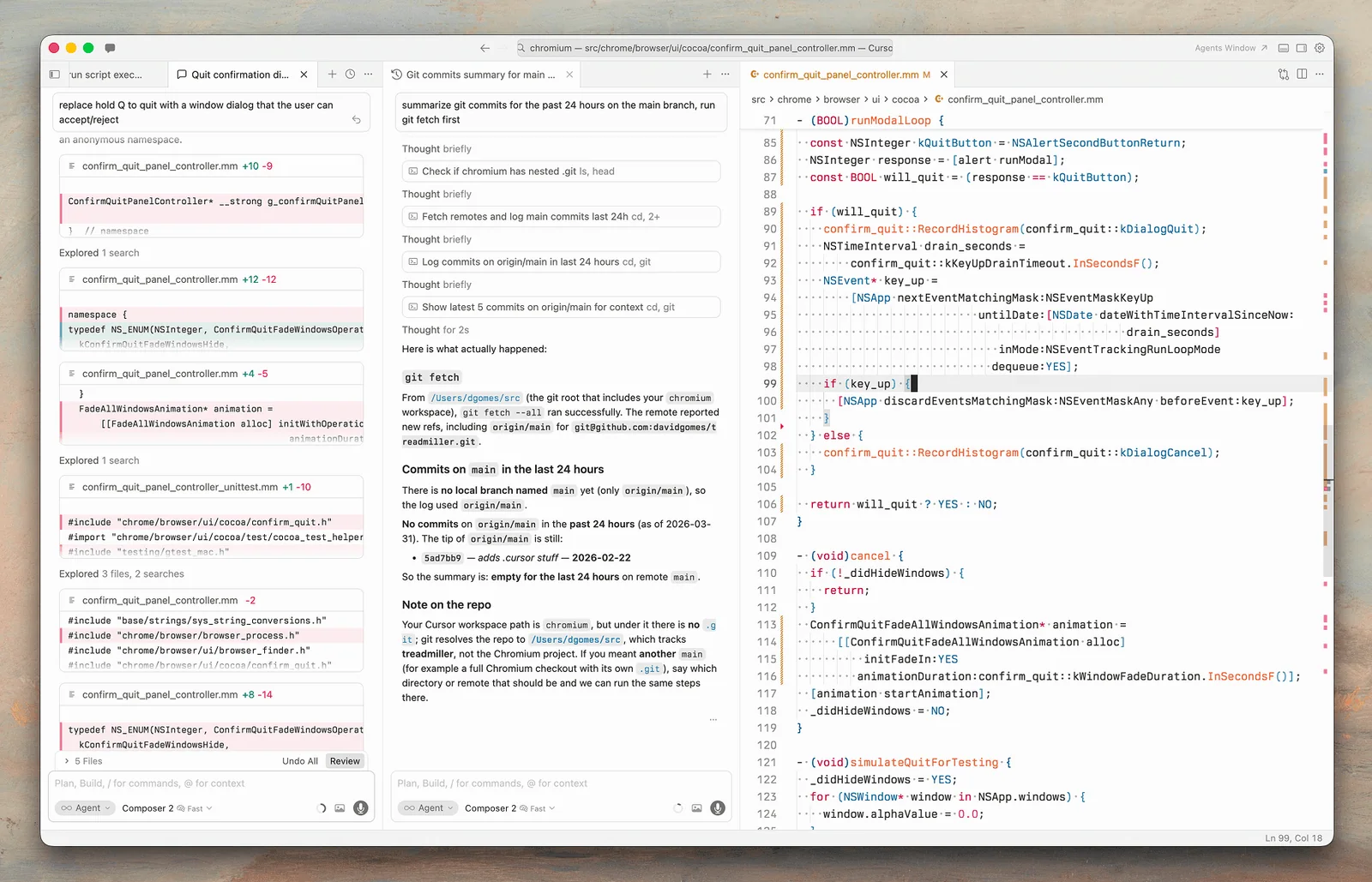
Seeing everything in one place. Diffs, files, terminals and agent activity all sit in one familiar VS Code-style window, which helps when you want to steer closely.
Model choice. You choose a model per task, though the cost of doing so has changed.
Lower barrier for visual workers. Many people find an editor less intimidating than a terminal, and browser control is built into the agent for testing and screenshots.
Where Claude Code is stronger
Larger delegated tasks. Multi-file changes, migrations, test writing and working through a problem independently suit its plan-and-execute style.
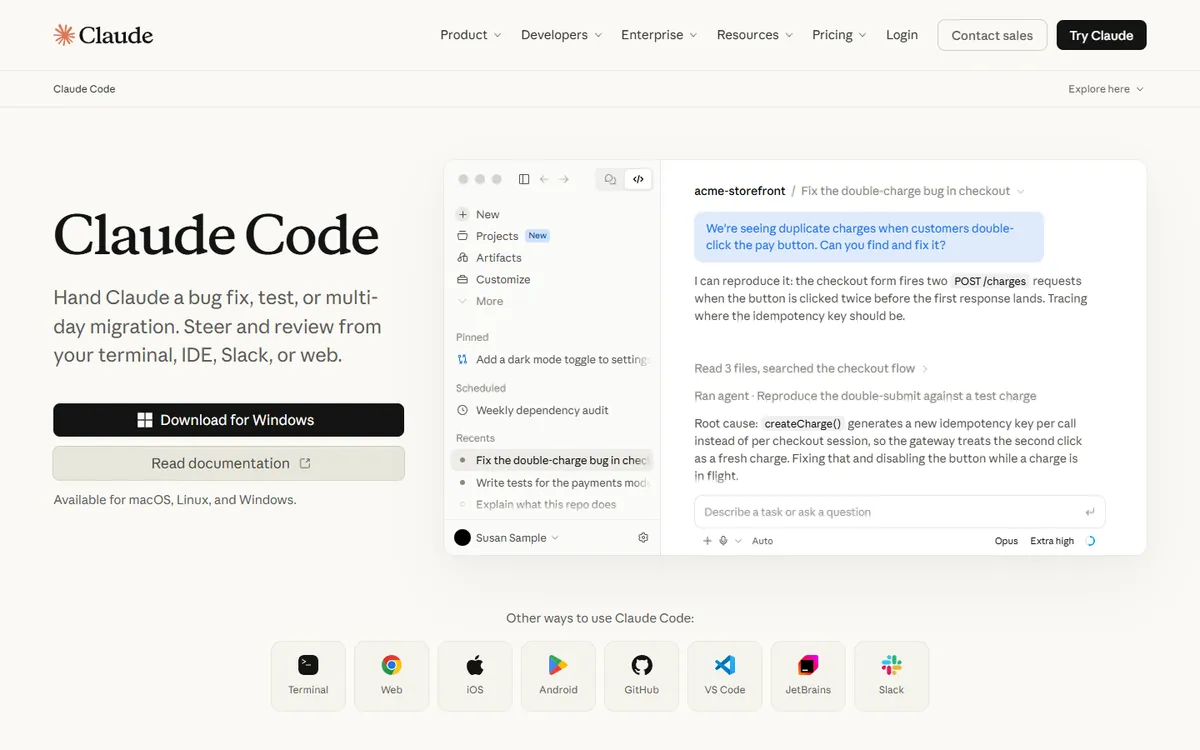
Automation. It's scriptable, so you can pipe logs into it, run it in CI, or use it in GitHub Actions and scheduled tasks. If you want AI working outside an interactive session, this is a strong fit.
Working anywhere. You are not tied to one editor. It works from a terminal over SSH, within JetBrains, or on the web, and the same project configuration carries across them.
Extensibility. Hooks, skills, subagents and MCP allow teams to encode their own workflows.
You can use both
This is often the best answer. Claude Code's docs include a direct install for Cursor, so you can run it inside the editor. A common pattern:
- Use Cursor for editing and small changes you want to watch closely.
- Delegate a well-defined, larger task to Claude Code, and review the diff in the editor.
To keep the two consistent, store your conventions in a shared AGENTS.md, which Claude Code can read, and reference the same standards in your Cursor rules.
Costs: test with your real usage
Headline prices tell you little, since both have usage limits. For a fair comparison, track a typical week: how many agent tasks you run, which models they need, and when you hit a limit. Also, watch out for parallel agents, because long autonomous runs can use allowances quickly on any plan. Our guide to what vibe coding costs per month covers the wider budget.
How to choose
- You write most code yourself and want help while typing: Cursor.
- You prefer describing outcomes and reviewing diffs: Claude Code.
- You want automation in CI or on a schedule: Claude Code.
- You want Grok models bundled at a low entry price: Cursor.
- You use JetBrains and don't want to change: Claude Code has a plugin.
- You are not sure: spend a week with each on real work. Use the same method as our Claude Code vs Codex test.
In both cases, review the output as you would a pull request from a new colleague. Is AI-generated code safe to ship? explains why.
If you would like help setting up an AI-assisted workflow for your team, book a call.
Common questions
Is Claude Code better than Cursor?
They suit different ways of working. Cursor is better for hands-on editing with AI alongside you. Claude Code suits delegating larger tasks and automation. Many developers use both, because Claude Code can run as an extension inside Cursor.
Can I use Claude Code inside Cursor?
Yes. Claude Code's documentation includes an install route for Cursor, using the same extension as VS Code. That gives you Cursor's editor alongside Claude Code's agent, though each still needs its own plan or billing.
Can I use Claude models in Cursor?
Cursor's pricing page says third-party models are available from Premium, billed separately at API list price, rather than through the shared usage pool. Check the page for current terms, as Cursor's plans changed recently and may keep moving.
Which is cheaper, Claude Code or Cursor?
Cursor has the lower entry price at $8 introductory, but that plan is limited to Grok models. Beyond that, the answer depends on usage and model mix. Track a typical week, then compare what you would pay under each plan's limits.
