In short
Choose Cursor if you want an AI-native editor for hands-on coding, with autocomplete, inline edits and agents in one window. Choose Codex if you want to delegate tasks through a CLI, IDE extension, the ChatGPT apps or cloud runs, especially if you already pay for ChatGPT. Cursor's plans pool usage with Grok and bill third-party models separately; Codex is included in ChatGPT plans.
Two starting points
Cursor is a VS Code-style editor rebuilt around AI. Autocomplete and quick edits sit next to an agent that can edit files, run commands and control a browser. You see the code all the time.
Codex is OpenAI's coding agent. It runs in a CLI, an IDE extension, the ChatGPT desktop, web and mobile apps, and Codex Cloud. You usually assign a task and review what comes back, sometimes after it has run in the cloud without your machine.
Both can now do much of what the other does. The default style of work still differs, and that's the thing to choose on.
Plans compared
From Cursor and OpenAI, checked on 4 November 2026.
| Monthly price | Cursor | Codex (via ChatGPT) |
|---|---|---|
| $0 | Free: limited agent use | Free: quick tasks, lighter model |
| $8 | Plus (introductory): Grok models only | Go: lightweight tasks, lighter model |
| $20–$30 | Premium $30: 4x Plus usage, cloud agents, third-party models at API list price | Plus $20: web, CLI, IDE, iOS, cloud integrations |
| $100 | Super: 15x Plus | Pro: from $100 |
| $200 | Ultra: 50x Plus | Pro: $200 option, and a $500 option |
| Teams | See vendor page | Business, $20/user billed annually |
The two companies measure usage differently. Cursor describes a shared pool across Cursor and Grok that refreshes weekly. OpenAI publishes estimated messages per five-hour window, varying widely by model, with possible weekly limits on top. Pro currently has no five-hour limit. You cannot compare these directly from the page, so test with real work.
Models
Cursor lets you pick a model per task. Grok models are the bundled option, and third-party models cost extra at API list price on Premium and above. If you would mostly use Claude or GPT models in Cursor, then budget for that separately; the base plan does not cover those in the same way as Grok usage.
Codex uses OpenAI's models, with a range from a light model to a top tier. OpenAI's own estimates show how much the choice affects limits: on Plus, 350–3,000 messages per five hours on its lightest model against 5–45 on its most capable. Using a lighter model for routine work can make a subscription last much longer.
Where Cursor wins
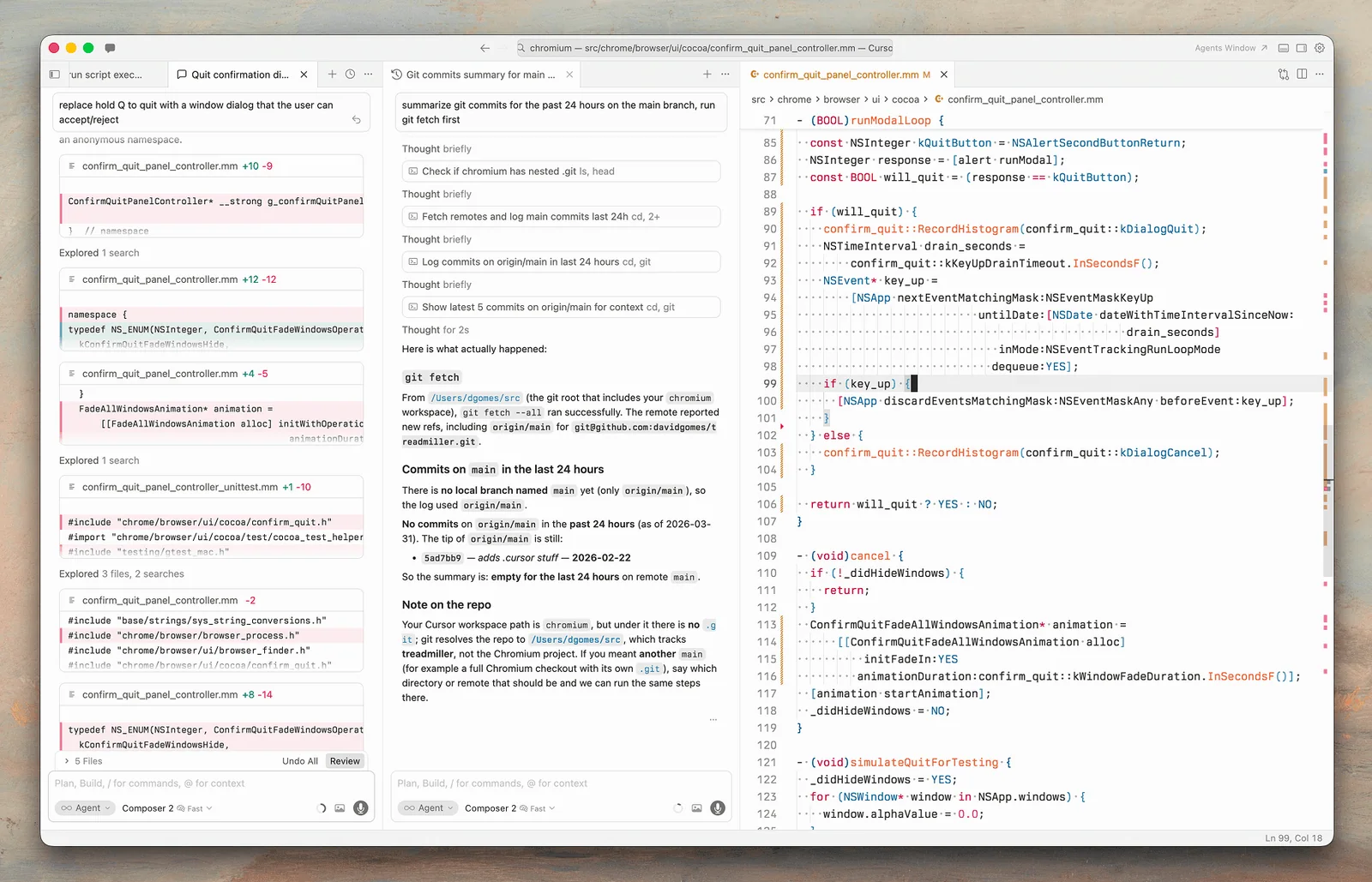
- You like to stay in the code. Fast completions and inline edits help you when you are writing yourself, and an agent-first tool does not try to cover that.
- You want one window. Files, diffs, terminals and agents are together, which makes it easy to steer and interrupt.
- Checkpoints. Cursor snapshots files before significant changes, so you can roll back separately from Git.
- Front-end work. Browser control and screenshots shorten the loop when you are checking visual results.
Where Codex wins
- Delegation. Assign well-defined work and come back later, including from your phone.
- Value with an existing plan. If your team already has ChatGPT Business, then Codex is included. There is no separate tool to buy or approve.
- Automatic review. Plus and above include cloud integrations such as automatic code review and Slack.
- Open-source client. The Codex CLI is Apache-2.0 licensed, so you can inspect it.
- Your existing editor. The IDE extension lets you keep your setup, so there is no need to change your whole environment.
You do not have to choose
You can run Codex's CLI in Cursor's terminal, or use an extension alongside Cursor's own tools. A common split is Cursor for active editing and a delegated agent for larger background jobs, particularly tests and refactors. Paying for both may make sense for a professional, since the cost is small compared with even one saved hour, but measure whether you really use both.
Keep your conventions in a shared AGENTS.md, which Codex reads, and mirror the important parts in your Cursor rules. If you decide to change tools later, your instructions will move with you. Read what subagents are if you plan on running tasks in parallel.
Consider where each company is heading
Cursor's pricing page now bundles it with Grok, and third-party reports describe its parent company being acquired by SpaceX. Codex is part of ChatGPT's wider product. Both may change quickly, and your tool's commercial incentives can affect which models are cheapest inside it. So avoid building a workflow that can only run on one vendor's terms, and check prices before renewing an annual plan.
How to choose
- Beginner who wants a free start: try both free tiers on a real small project.
- Writes code all day and wants speed: Cursor.
- Already on ChatGPT Plus or Business: start with Codex.
- Runs lots of background tasks: Codex, or Cursor's cloud agents on Premium; compare costs.
- Wants Claude or GPT in an editor: calculate Cursor's third-party billing, or use Codex or Claude Code directly.
Use the same trial method as in our Claude Code vs Codex comparison: the same tasks, the same starting commit, and read the code at the end. Then review everything as you would any contribution, because AI-generated code needs the same scrutiny whichever tool wrote it.
If you are setting standards for how your team uses these tools, book a call.
Common questions
Is Cursor better than Codex?
Neither is better outright. Cursor is stronger for hands-on coding in an editor, while Codex is stronger for delegating work and fits naturally if you already pay for ChatGPT. Try both with real tasks from your own project.
Can I use GPT models in Cursor?
Cursor's pricing page lists third-party models at API list price on Premium and above, billed separately from its shared usage pool. Check the current terms, and estimate your monthly usage before you decide.
Is Codex included in ChatGPT?
Yes. OpenAI says Codex is included in Free, Go, Plus, Pro, Business, Edu and Enterprise plans. Paid plans add wider access and higher limits. Using an API key instead is possible, but this lacks cloud features such as GitHub code review.
Can I use Codex inside Cursor?
You can run the Codex CLI in Cursor's terminal, and extensions built for VS Code may also work. Check the current compatibility. Each tool still needs its own plan or billing arrangement, so you would be paying for both.
