In short
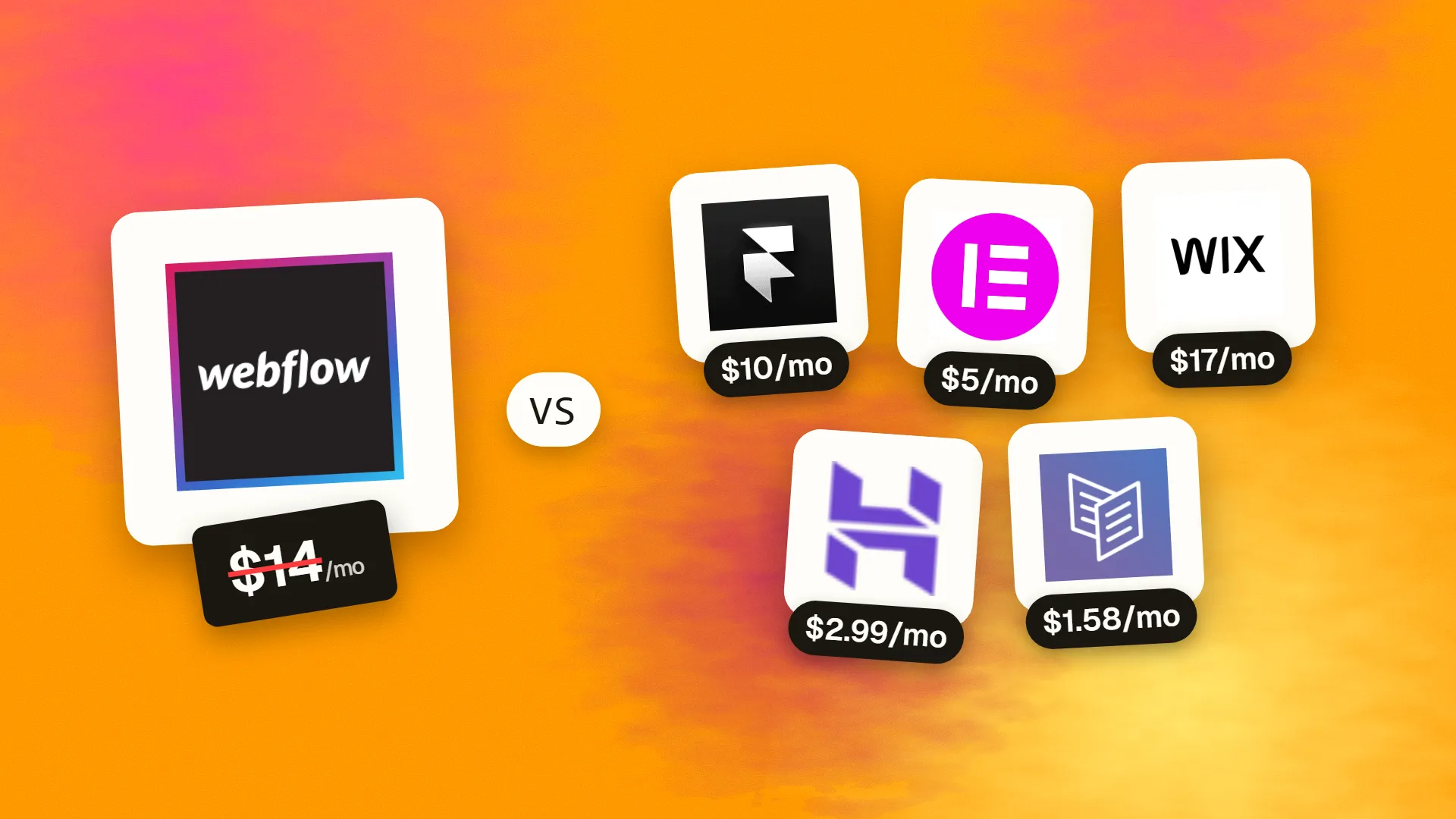
The best cheaper alternatives to Webflow in 2026 are Framer (from $10/month), WordPress + Elementor Pro (from $5/month), Wix (from $17/month), Hostinger Website Builder (from $2.99/month) and Carrd (from $1.58/month). Webflow itself starts at $14 a month, so most teams can cut the cost substantially without losing the features they actually use.
Webflow gives designers code-level control over HTML and CSS without writing code, and it produces some of the best-looking sites on the web. It also has one of the more complicated pricing models. You pay per site — Basic $14/month, CMS $23 and Business $39 on annual billing ($18, $29 and $49 monthly) — and per seat for the workspace where your team builds, with paid seats commonly around $19–49 per person per month. E-commerce site plans start at $29/month.
For an agency with ten client sites and three designers, Webflow can cost several thousand dollars a year. For a single small-business site, the CMS plan alone costs about $276 a year before any seats. The alternatives below deliver professional sites for less.
 Webflowvs
 Framer
 WordPress + Elementor Pro
 Wix
 Hostinger Website Builder
 Carrd
What Webflow actually costs in 2026
| Item | Annual billing | Monthly billing | Notes |
|---|---|---|---|
| Basic site plan | $14/mo | $18/mo | No CMS |
| CMS site plan | $23/mo | $29/mo | Up to 2,000 CMS items |
| Business site plan | $39/mo | $49/mo | Up to 10,000 CMS items |
| E-commerce site plans | $29 / $74 / $212+ | Higher | Product limits per tier |
| Workspace seats | ~$19–49/seat | Higher | Required for teams; viewers free |
The current tiers are listed on Webflow's official pricing page.
The 5 cheaper alternatives at a glance
| Tool | Starts at | Model | Best for |
|---|---|---|---|
| Webflow | $14/mo | subscription | The benchmark |
| Framer | $10/mo | subscription | Designers building marketing sites fast |
| WordPress + Elementor Pro | $5/mo | subscription | Agencies and owners who want no lock-in |
| Wix | $17/mo | subscription | Small businesses that want visual editing without CSS |
| Hostinger Website Builder | $2.99/mo | subscription | Brochure sites on a minimal budget |
| Carrd | $1.58/mo | subscription | Landing pages that don't need a CMS |
How we picked these alternatives
We looked for visual editing, responsive design, a CMS or blog option, fast hosting and reasonable per-site and per-editor costs. We favoured tools designers would actually enjoy. Prices checked 27 October 2026.
1. Framer
Price: Free (framer.website subdomain); Basic $10/month; Pro $30/month (150 pages, 2,500 CMS items, 100GB bandwidth). Additional editors $20/month; content-only editors $10/month. A domain is included with yearly billing. See Framer's official pricing page for current plans.
Framer, from Amsterdam, began as a prototyping tool for designers and relaunched as a website builder. Its canvas works like Figma, it has the smoothest built-in animations of any no-code tool, and it has become Webflow's most direct competitor for marketing sites.
Framer pricing in detail
| Plan | Price | Pages | CMS | Bandwidth | Notes |
|---|---|---|---|---|---|
| Free | $0 | Generous (subdomain only) | Limited | 1GB | Framer badge |
| Basic | $10/mo | 30 | 2 collections, 1,000 items | 50GB | Custom domain |
| Pro | $30/mo | 150 (expandable) | 10 collections, 2,500 items (expandable) | 100GB (expandable) | Staging, A/B-friendly |
| Enterprise | Custom | Custom | Custom | Custom | Unlimited editors |
| Extra editor | $20/mo | — | — | — | Design and publish |
| Content editor | $10/mo | — | — | — | CMS, localisation, on-page editing |
What you get
- A Figma-like canvas with stacks, grids and responsive breakpoints.
- Built-in animations and interactions — scroll effects, appear animations and hover states without code.
- CMS, localisation, forms and analytics.
- AI tools for generating page drafts and translating content.
- Copy-paste from Figma.
Where it falls short
- Less control over the underlying code and class structure than Webflow.
- Plan limits on pages and CMS items can push large sites to add-ons.
- Smaller ecosystem of templates and integrations.
Who it's best for
Designers and start-ups building marketing sites fast. Skip it if you need complex CMS logic or strict code control.
2. WordPress + Elementor Pro
Price: WordPress is free. Elementor Pro is about $59–60/year for one site (agency licences cost more). Hosting from about $5–35/month. See WordPress + Elementor Pro's official pricing page for current plans.
WordPress powers more than 40% of all websites, and Elementor — founded in Israel in 2016 — is its most popular visual page builder, used on millions of sites. Together they give designers Webflow-like visual control, but on an open platform you can host anywhere, extend with any plugin and hand over to clients without per-seat workspace fees.
WordPress + Elementor cost breakdown
| Item | Cost | Notes |
|---|---|---|
| WordPress | Free | Open-source CMS |
| Elementor (free plugin) | Free | Core drag-and-drop editor and widgets |
| Elementor Pro, 1 site | ~$59–60/yr | Theme builder, forms, popups, dynamic content, WooCommerce builder |
| Elementor Pro, agency tiers | Up to ~$399–444/yr | Licences for up to 1,000 sites |
| Elementor Hosting / managed WordPress hosting | ~$5–35/mo per site | Speed, backups and security handled by the host |
What you get
- Visual drag-and-drop editing with responsive controls for desktop, tablet and mobile.
- Theme builder for headers, footers, blog templates, archive pages and 404 pages.
- Dynamic content that pulls from custom fields, so CMS-driven layouts work like Webflow collections.
- Forms, popups and motion effects without extra plugins.
- WooCommerce builder to design product and checkout pages.
- Any plugin and any host — 60,000+ plugins for SEO, multilingual, memberships and more.
- No lock-in: move the site to a different host whenever you like.
Where it falls short
- Maintenance is your job — WordPress core, theme and plugin updates, backups and security.
- Performance needs care; page builders can produce heavy pages without good hosting and optimisation.
- Less precise class-based CSS control than Webflow.
Good to know
Agencies often save the most: one agency licence covers many client sites, and clients pay their own hosting instead of Webflow site plans.
Who it's best for
Agencies and businesses that want visual editing without platform lock-in. Skip it if you want zero maintenance.
3. Wix
Price: Light about $17/month annual; Core about $29; Business about $39. Wix Studio is aimed at agencies. See Wix's official pricing page for current plans.
Wix is the world's most-used website builder. For Webflow users, the most relevant product is Wix Studio, launched in 2023 for designers and agencies: it adds responsive design tools, reusable design systems, custom code (Velo) and client hand-off, while keeping hosting and business apps included.

Wix pricing in detail
| Plan | Annual (approx.) | Highlights |
|---|---|---|
| Light | ~$17/mo | Custom domain, basic features |
| Core | ~$29/mo | Payments, events, more storage |
| Business | ~$39/mo | Full e-commerce, subscriptions |
| Business Elite | ~$159/mo | Advanced commerce, priority support |
| Wix Studio | Site plans billed per client site | Agency workspace, responsive AI, client billing, team collaboration |
What you get
- No separate per-seat workspace fees for small teams on standard plans.
- Wix Studio's responsive editor with grids, flexbox-style layouts and breakpoints.
- Velo — write JavaScript and connect databases for custom functionality.
- Built-in business apps for bookings, events, stores and memberships.
- Client hand-off and billing tools for agencies.
- Hosting, SSL and security included.
Where it falls short
- Less precise CSS and class control than Webflow.
- No code export — the site stays on Wix.
- Performance tuning is more limited.
Good to know
Wix's built-in bookings and events often replace third-party tools that Webflow sites need through integrations.
Who it's best for
Agencies and small businesses wanting visual editing plus built-in business features. Skip it if you need clean, exportable code.
4. Hostinger Website Builder
Price: $2.99–7.99/month on a 48-month term (renewing at $10.99–25.99). See Hostinger Website Builder's official pricing page for current plans.
Hostinger is a large web host with millions of customers. Its Website Builder is not a designer's tool like Webflow — it trades fine control for speed and price, using AI to create a complete small-business site in minutes, with hosting, SSL and email bundled in.
Hostinger pricing in detail
| Term | Price | Renewal | Notes |
|---|---|---|---|
| 48 months | $2.99–7.99/mo | $10.99–25.99/mo | Lowest monthly rate, free domain |
| 12 months | Higher | Same renewal range | Shorter commitment |
| Month-to-month | ~$11.99/mo | — | Most flexible |
What you get
- AI website builder that drafts pages, copy and images from a short description.
- Drag-and-drop editor with business templates.
- Hosting, SSL and business email included.
- E-commerce features on higher plans with no transaction fees.
- AI logo maker and SEO tools.
Where it falls short
- Far less design control than Webflow — no class system or advanced interactions.
- Best prices require long prepayments, and renewals rise sharply.
- Not suited to complex CMS sites.
Good to know
For a five-page brochure site, Hostinger's four-year total can be less than one year of Webflow's CMS plan.
Who it's best for
Simple brochure and small-business sites on a minimal budget. Skip it if design precision matters to you or your clients.
5. Carrd
Price: Pro Standard $19/year (10 sites); Pro Plus $49/year (25 sites). See Carrd's official pricing page for current plans.
Many Webflow sites are really single landing pages — product launches, event pages, waitlists and campaign microsites. For those, Carrd delivers polished, fast one-page sites for a yearly price lower than one month of a Webflow site plan.
Carrd pricing in detail
| Plan | Price | Sites | Highlights |
|---|---|---|---|
| Free | $0 | 3 | carrd.co subdomain, Carrd branding |
| Pro Lite | $9/yr | 3 | Custom domains, no branding |
| Pro Standard | $19/yr | 10 | Forms, embeds, widgets |
| Pro Plus | $49/yr | 25 | Custom code, password protection, advanced forms |
What you get
- Beautiful, responsive one-page templates.
- Custom code embeds on Pro Plus for scripts, tracking pixels and widgets.
- Forms connected to Mailchimp, ConvertKit, Google Sheets and webhooks.
- Stripe and PayPal buttons.
- Fast hosting included.
- Up to 25 sites on a single $49 licence — ideal for campaign pages.
Where it falls short
- No CMS and single pages only.
- Limited interactions and animations compared with Webflow.
Good to know
An agency that runs ten campaign landing pages pays $19 a year on Carrd Pro Standard, versus roughly $1,680 a year for ten Webflow Basic site plans.
Who it's best for
Landing pages and campaign microsites. Skip it if you need a CMS or multi-page site.
What an agency with 10 client sites pays per year
| Option | Approx. annual cost |
|---|---|
| Webflow (10 CMS sites + 2 paid seats) | ~$3,200–3,900 |
| Framer (10 Pro sites) | ~$3,600 (Basic: ~$1,200) |
| WordPress + Elementor (agency licence + hosting) | ~$800–1,500 |
| Wix (10 Core sites) | ~$3,480 |
| Hostinger (multi-site hosting plans) | ~$300–600 |
| Carrd Pro Plus (25 one-page sites) | $49 |
For agencies, the cheapest option depends heavily on whether the client pays for their own site plan — a common approach on every platform.
How to switch without losing your work
- Export your CMS collections to CSV from Webflow.
- Export code (available on paid workspace plans) to reuse HTML/CSS where helpful.
- Rebuild design systems as components/symbols in the new tool.
- Set up 301 redirects for every old URL.
- Move forms and integrations (CRM, email) and test them.
Which one should you choose?
- You are a designer who wants speed and great animations: Framer.
- You are an agency that wants no platform lock-in: WordPress with Elementor Pro.
- You build for small businesses that need bookings, stores or events: Wix (or Wix Studio for agencies).
- You need a cheap brochure site with hosting and email included: Hostinger Website Builder.
- You need campaign landing pages: Carrd.
Hidden costs and gotchas
- Seats versus sites. Webflow and Framer charge separately for site plans and editors. Model the total cost for your team and number of sites, not just one line item.
- Bandwidth and CMS limits. Framer and Webflow cap pages, CMS items and bandwidth per plan; overages or upgrades can be expensive for busy sites.
- Client billing. Many agencies have clients pay for their own site plan, which changes the economics on every platform.
- Hosting quality. WordPress performance depends on your host. Cheap shared hosting can undo the savings with slow pages.
- Localisation. Multi-language sites often cost extra (Webflow Localization, Framer locales, WordPress plugins such as WPML).
Our verdict
Designers who love Webflow's visual control should try Framer first — it is faster to work in and usually cheaper. Agencies that want no lock-in should use WordPress with Elementor. Choose Wix for business features without CSS, Hostinger for the cheapest brochure sites, and Carrd for landing pages that cost almost nothing.
More cheaper alternatives: see our breakdowns of the cheaper options to Squarespace, Figma and Shopify.
Related reading: Is Webflow Good for SEO?, How to Migrate From WordPress to a Static Front End and No-Code MVP vs Custom MVP: Choose by Risk, Not Fashion.
Planning a switch, or not sure which tool fits the way your team works? Book a free call and we will look at your stack with you.
Prices are US list prices in USD unless marked, checked on 27 October 2026. "Annual" means the per-month price when billed yearly. Vendors change pricing often, so confirm on the vendor's site before buying. Product names and logos are trademarks of their respective owners and are used here for identification only.
Common questions
Is Framer cheaper than Webflow?
Usually yes for single sites: Framer Basic is $10/month and Pro $30, with simpler seat pricing.
Can I export my Webflow site?
You can export HTML, CSS and assets on paid plans, but CMS content must be exported separately as CSV and dynamic features will not work outside Webflow.
Is WordPress a good Webflow alternative?
Yes, especially with Elementor or other visual builders. It gives you more freedom and lower costs, with more maintenance.
What is the cheapest way to build a landing page?
Carrd, from $19 a year for up to 10 sites.
Do Webflow alternatives support CMS?
Framer, WordPress and Wix do. Carrd does not.
