In short
The best cheaper alternatives to Harvest in 2026 are Clockify (free), Toggl Track (free), Kimai (free), TimeCamp (free) and Jibble (free). Harvest itself starts at $9 a month, so most teams can cut the cost substantially without losing the features they actually use.
Harvest has been a favourite of agencies and consultancies for years because it does three things well: time tracking, project budgets and invoicing from tracked hours. Its pricing has changed. The old Pro ($11 per seat) and Premium ($14 per seat) plans are being replaced by Teams at $9 per seat per month billed yearly ($11 monthly) and Enterprise at $14 ($17.50 monthly) — with additional usage-based fees for invoices, projects, clients and tasks beyond your plan's allowance. The free plan covers one seat and two projects. A 15-person agency on Teams pays at least $1,620 a year before usage fees.
Time tracking is a mature category with excellent free tools. The alternatives below include unlimited free trackers and low-cost options with invoicing.
 Harvestvs
 Clockify
 Toggl Track
 Kimai
 TimeCamp
 Jibble
What Harvest actually costs in 2026
| Plan | Annual billing | Monthly billing | Notes |
|---|---|---|---|
| Free | $0 | $0 | 1 seat, 2 projects |
| Teams | $9/seat/mo | $11/seat/mo | Plus usage-based fees |
| Enterprise | $14/seat/mo | $17.50/seat/mo | Advanced reporting and permissions, plus usage fees |
| Legacy Pro / Premium | $11 / $14 per seat | — | Older plans for existing customers |
Check your account for how invoices, projects and clients are counted in the new usage model. The current tiers are listed on Harvest's official pricing page.
The 5 cheaper alternatives at a glance
| Tool | Starts at | Model | Best for |
|---|---|---|---|
| Harvest | $9/mo | subscription | The benchmark |
| Clockify | Free tier | free | Teams that want unlimited free tracking |
| Toggl Track | Free tier | free | Freelancers and small teams who live in timers |
| Kimai | Free tier | open source | Agencies that want to own their time data |
| TimeCamp | Free tier | free | Teams that want automatic tracking cheaply |
| Jibble | Free tier | free | Field and hourly teams |
How we picked these alternatives
We compared time tracking (timers, timesheets, mobile), billable rates and budgets, invoicing, approvals, reporting, integrations and the annual cost for a 15-person team. Prices checked 28 October 2026.
1. Clockify
Price: Free (unlimited users and projects); paid from about $3.99 per seat a month billed yearly; Standard about $5.49; Pro about $7.99; Enterprise higher. See Clockify's official pricing page for current plans.
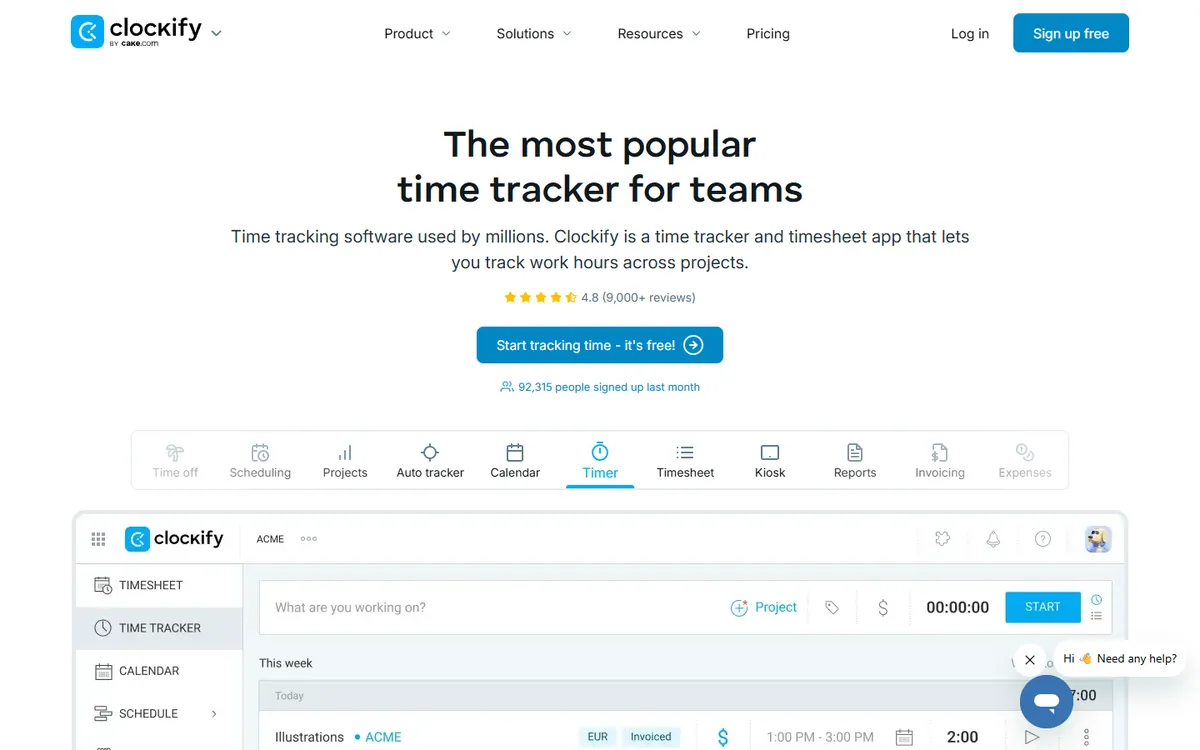
Clockify's free plan is famous for a reason: unlimited users, unlimited projects and unlimited tracking at no cost, with timers, timesheets, a kiosk mode, reports and billable rates. Paid plans add invoicing, approvals, scheduling, expenses and project budgets — and even Clockify Pro costs less than Harvest Teams.
Clockify pricing in detail
| Plan | Price (billed yearly) | Key features |
|---|---|---|
| Free | $0 | Unlimited users, timers, timesheets, reports |
| Basic | ~$3.99/seat/mo | Admin controls, time audit, bulk edit |
| Standard | ~$5.49/seat/mo | Invoicing, approvals, timesheet locking |
| Pro | ~$7.99/seat/mo | Project budgets, scheduling, expenses |
| Enterprise | Higher | SSO, custom subdomain, audit log |
What you get
- Unlimited free time tracking for any team size.
- Timers, timesheets and kiosk clock-in.
- Billable rates and reports.
- Invoicing and approvals on paid plans.
- 80+ integrations and browser extensions.
Where it falls short
- Invoicing and approvals need paid plans.
- Interface is busy.
- Advanced reports are on higher tiers.
Good to know
Clockify's kiosk mode turns a tablet into a shared clock-in station, which is useful for offices and workshops. Reports can be shared with clients through a public link showing billable hours. If you only need tracking and reporting, the free plan covers it even for large teams.
Who it's best for
Any team that wants unlimited, free time tracking, and agencies that want invoicing for less than Harvest. Skip it if you want the simplest possible interface.
2. Toggl Track
Price: Free (up to five users); Starter $9 per user per month billed yearly ($10 monthly); Premium $18; Enterprise custom. See Toggl Track's official pricing page for current plans.
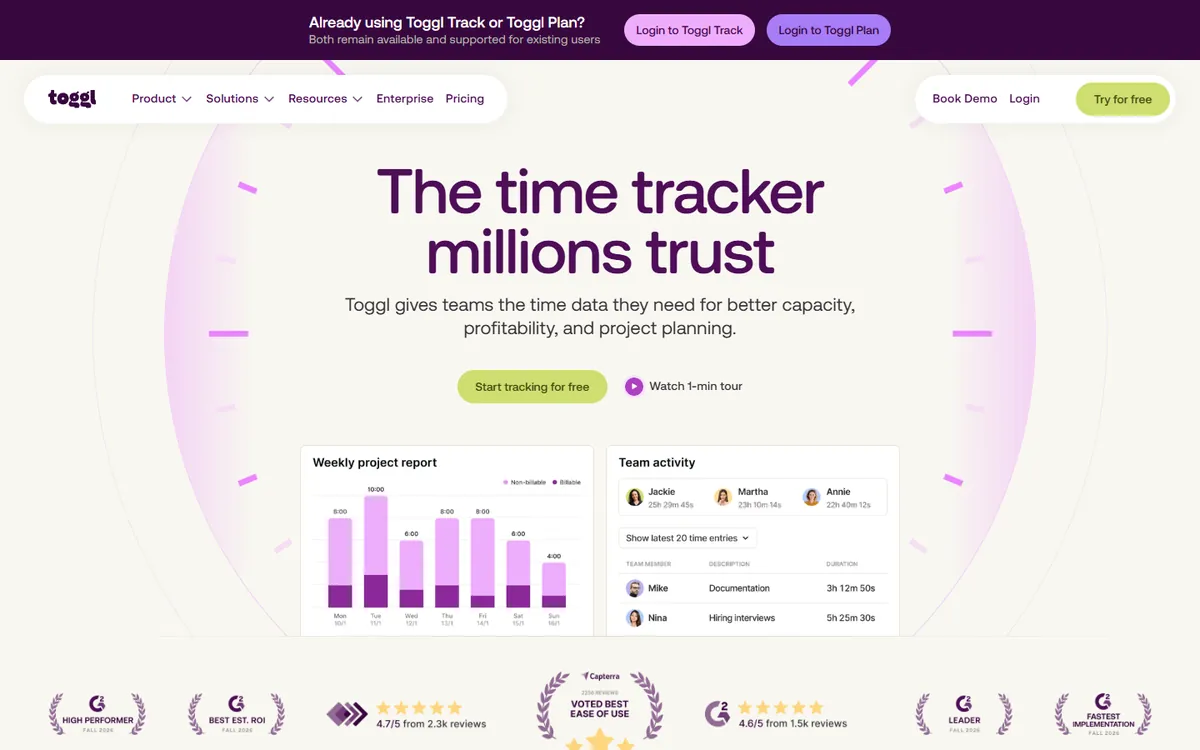
Toggl Track is the most pleasant timer-based tracker. One-click timers, a browser extension that works inside 100+ tools, idle detection and excellent reports make it popular with freelancers and creative teams. The free plan covers up to five people, which is enough for many small studios.
Toggl Track pricing in detail
| Plan | Annual price | Monthly price | Key features |
|---|---|---|---|
| Free | $0 | $0 | Up to 5 users, unlimited tracking |
| Starter | $9/user | $10/user | Billable rates, project estimates, saved reports |
| Premium | $18/user | $20/user | Timesheet approvals, fixed-fee projects, profitability |
| Enterprise | Custom | — | Multiple workspaces, SSO |
What you get
- Simple, fast timers everywhere.
- Integrations with 100+ tools via browser extension.
- Detailed reports with billable amounts.
- Project estimates and alerts.
- Mobile and desktop apps.
Where it falls short
- Paid tiers cost the same as Harvest Teams.
- Invoicing is not built in — exports to accounting tools.
- Free plan is capped at five users.
Good to know
Toggl Track's browser extension adds a timer button inside tools such as Asana, Jira, Trello and Google Docs. Its reports can be scheduled and emailed to clients or managers. Toggl also offers separate products for planning (Toggl Plan) and hiring, which can be combined if needed.
Who it's best for
Freelancers and small teams of up to five who want free, beautiful time tracking. Skip it if you need built-in invoicing.
3. Kimai
Price: Free and open source (self-hosted); hosted Kimai Cloud plans cost a few euros per user. See Kimai's official pricing page for current plans.
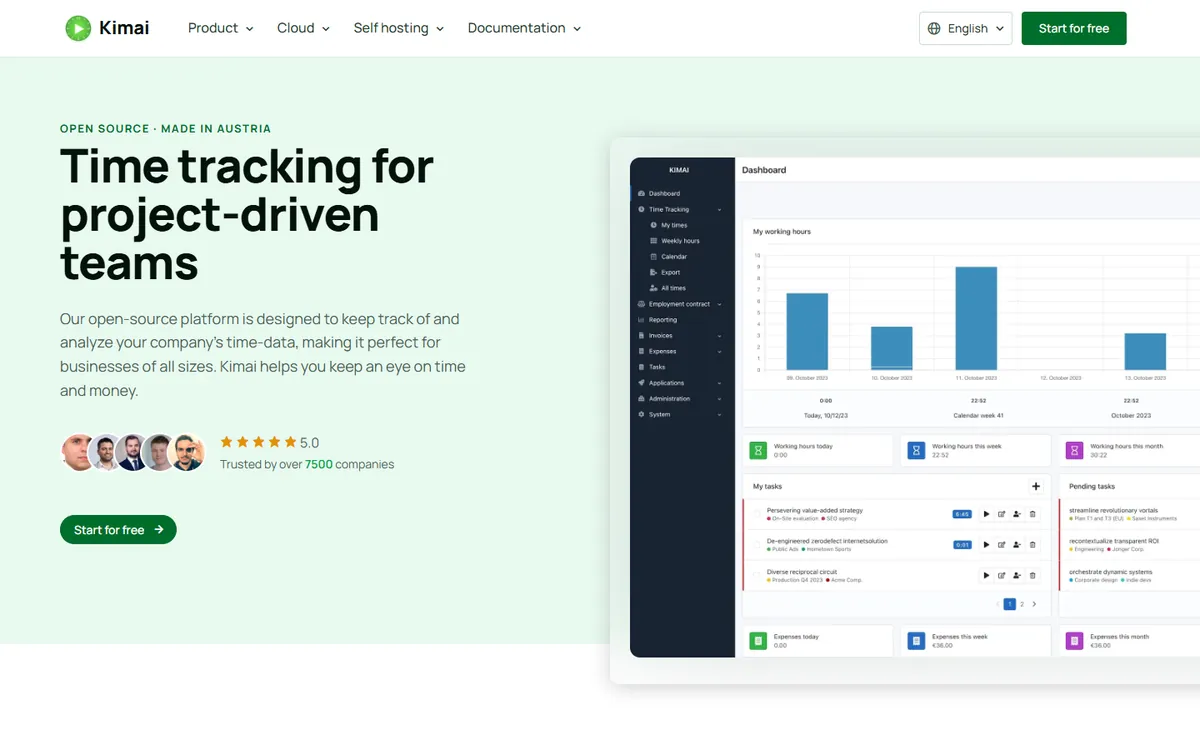
Kimai is an open-source time tracker with timesheets, projects, activities, hourly rates, budgets, invoices and exports. You can install it on your own server and run it for unlimited users at no licence cost, or use the hosted cloud version. For agencies that want to own their data, it covers most of what Harvest does.
Kimai pricing in detail
| Option | Price | Notes |
|---|---|---|
| Kimai (self-hosted) | Free | Unlimited users, open source |
| Kimai Cloud | From a few €/user/mo | Hosted by the Kimai team |
| Plugins | Free to paid | Extra features |
What you get
- Unlimited users and projects.
- Invoices from timesheets with templates.
- Budgets and rates per customer, project and activity.
- Multi-currency.
- Self-hosted data.
Where it falls short
- Self-hosting needs maintenance.
- Interface is functional, not beautiful.
- Fewer integrations.
Good to know
Kimai can be installed with Docker in minutes, and plugins add features such as expenses, task management and custom fields. Its invoice templates support multiple languages and currencies, which helps agencies with international clients. Keep regular database backups if you self-host.
Who it's best for
Agencies and freelancers who want to own their time and billing data. Skip it if you have no technical support.
4. TimeCamp
Price: Free (unlimited users, basic tracking); Starter about $2.99 per user per month billed yearly; higher plans add invoicing and attendance. See TimeCamp's official pricing page for current plans.
TimeCamp combines manual timers with automatic time tracking that records which apps and websites you use, so timesheets fill themselves. It includes billable rates, invoicing, budgets, attendance and productivity reports at very low prices — useful for teams that forget to start timers.
TimeCamp pricing in detail
| Plan | Price (billed yearly) | Key features |
|---|---|---|
| Free | $0 | Unlimited users, basic tracking |
| Starter | ~$2.99/user/mo | Unlimited tasks, idle tracking |
| Basic / Pro | Higher | Billable rates, invoicing, approvals |
| Enterprise | Custom | SSO, self-hosting option |
What you get
- Automatic time tracking of apps and URLs.
- Billable rates and invoices.
- Attendance and timesheet approvals.
- Budgets and reports.
- Integrations with project tools.
Where it falls short
- Busy interface.
- Automatic tracking raises privacy concerns for some teams.
- Invoicing is on higher tiers.
Good to know
If your team is uncomfortable with activity monitoring, TimeCamp lets you disable screenshots and app tracking and use only manual timers. Its timesheet approvals and attendance features help with payroll and client billing. Integrations with project management tools pull in tasks automatically.
Who it's best for
Teams that want automatic tracking at a low price. Skip it if your team dislikes activity monitoring.
5. Jibble
Price: Free (unlimited users); Premium about $2.49–3.49 per user per month; Ultimate higher. See Jibble's official pricing page for current plans.
Jibble is built for hourly and field teams: clock in with a phone, kiosk, face recognition or GPS, track breaks and overtime, and export timesheets to payroll. It also supports projects and activities, so agencies with on-site staff can see who worked on what. Its free plan covers unlimited users.
Jibble pricing in detail
| Plan | Price | Key features |
|---|---|---|
| Free | $0 | Unlimited users, clock-in, timesheets |
| Premium | ~$2.49–3.49/user/mo | Overtime, geofencing, integrations |
| Ultimate | Higher | Advanced reporting, priority support |
What you get
- Clock-in by phone, kiosk, GPS and face recognition.
- Timesheets, breaks and overtime.
- Projects and activities.
- Payroll exports.
- Unlimited free users.
Where it falls short
- Less suited to agency invoicing.
- Fewer billable-rate features than Harvest.
- Interface is attendance-first.
Good to know
Jibble's geofencing ensures field staff can only clock in at approved locations, and face recognition prevents "buddy punching". Its payroll exports work with common payroll systems. For agencies that bill by project, use its projects and activities to tag time correctly. Jibble also tracks breaks and overtime rules by country, which reduces payroll errors for teams in several locations, and managers get live dashboards showing who is on shift.
Who it's best for
Field, shift and hourly teams. Skip it if you bill clients by project hours.
What a 15-person agency pays per year
| Option | Annual cost |
|---|---|
| Harvest Teams (15 × $9 × 12) | $1,620 + usage fees |
| Harvest Enterprise (15 × $14 × 12) | $2,520 + usage fees |
| Toggl Track Starter (15 × $9 × 12) | $1,620 |
| Clockify Standard (15 × ~$5.49 × 12) | ~$988 |
| TimeCamp Starter (15 × ~$2.99 × 12) | ~$538 |
| Jibble Premium (15 × ~$2.99 × 12) | ~$538 |
| Clockify Free / Kimai self-hosted | $0 |
How to switch without losing your work
- Export time entries, projects, clients and invoices from Harvest as CSV.
- Import projects and clients into the new tool (most accept CSV).
- Recreate billable rates and budgets.
- Run both tools for one billing cycle to compare invoices.
- Keep Harvest exports for accounting and audits.
Which one should you choose?
- You want unlimited free tracking with optional invoicing: Clockify.
- You want beautiful timers for a small team: Toggl Track.
- You want to own your data: Kimai.
- You want automatic tracking cheaply: TimeCamp.
- You manage hourly or field staff: Jibble.
Hidden costs and gotchas
- Usage-based fees. Harvest's new model bills extra invoices, projects and clients — model your real usage.
- Feature tiers. Invoicing and approvals are often on mid-level plans.
- Accounting integrations. Check that QuickBooks, Xero or your tool is supported.
- Data history. Import historical entries if you report year-on-year.
- Privacy. Automatic tracking needs clear team policies.
Our verdict
Clockify is the best Harvest alternative for most teams — unlimited free tracking and affordable invoicing. Toggl Track is the most pleasant for small teams, Kimai gives full data ownership, TimeCamp adds automatic tracking cheaply, and Jibble is built for hourly and field staff.
More cheaper alternatives: see our breakdowns of the cheaper options to Expensify, Gusto and QuickBooks.
Related reading: How to Estimate Software Development Without Pretending It Is Certain and How to Write a Project Proposal That Wins.
Planning a switch, or not sure which tool fits the way your team works? Book a free call and we will look at your stack with you.
Prices are US list prices in USD unless marked, checked on 27 October 2026. "Annual" means the per-month price when billed yearly. Vendors change pricing often, so confirm on the vendor's site before buying. Product names and logos are trademarks of their respective owners and are used here for identification only.
Common questions
What is the best free alternative to Harvest?
Clockify. Its free plan has unlimited users, projects and tracking.
Did Harvest change its pricing?
Yes. Harvest moved from Pro and Premium seats to Teams and Enterprise plans with usage-based fees.
Can Clockify create invoices?
Yes, on the Standard plan and above.
Is Toggl Track free?
Yes, for up to five users. Paid plans start at $9 per user per month billed yearly.
Can I import my Harvest data?
Export CSV files from Harvest and import projects, clients and entries into the new tool.
