In short
The best cheaper alternatives to Adobe After Effects in 2026 are DaVinci Resolve (free, or $295 one-time), Apple Motion ($49.99 one-time), Cavalry (free), Blender (free) and Natron (free). Adobe After Effects itself starts at $22.99 a month, so most teams can cut the cost substantially without losing the features they actually use.
After Effects is the industry standard for motion graphics and compositing: animated titles, lower thirds, explainer videos, logo reveals, visual effects and the endless templates sold on marketplaces. It is only sold as a subscription. The single-app plan costs $22.99 a month on an annual plan billed monthly, $263.88 a year prepaid, or $34.49 month to month, and Creative Cloud Pro with every Adobe app is $69.99 a month. A freelancer who keeps After Effects for five years pays about $1,380 and owns nothing at the end.
For a lot of motion work you no longer need to. One of the alternatives below is a free professional compositor used on Hollywood films, one costs $49.99 once, and Canva made a modern motion-design app completely free for individuals in 2026.
 Adobe After Effectsvs
 DaVinci Resolve
 Apple Motion
 Cavalry
 Blender
 Natron
What After Effects actually costs in 2026
| Plan | Price | Notes |
|---|---|---|
| After Effects (annual, billed monthly) | $22.99/mo | Cancellation fee if you stop early |
| After Effects (annual, prepaid) | $263.88/yr | About $21.99 a month |
| After Effects (monthly, no commitment) | $34.49/mo | Cancel any time |
| Creative Cloud Pro (all apps) | $69.99/mo | Premiere Pro, Photoshop, Illustrator and more |
Each plan includes 100 GB of cloud storage and Adobe Express Premium. Third-party plug-ins and templates are extra. The current tiers are listed on After Effects' official pricing page.
The 5 cheaper alternatives at a glance
| Tool | Starts at | Model | Best for |
|---|---|---|---|
| Adobe After Effects | $22.99/mo | subscription | The benchmark |
| DaVinci Resolve | Free tier or $295 one-time | free | Node-based compositing (Fusion) alongside editing and colour |
| Apple Motion | $49.99 one-time | one time | Mac editors who build titles and templates for Final Cut |
| Cavalry | Free tier | free | Motion designers making 2D, procedural and data-driven animation |
| Blender | Free tier | open source | 3D motion graphics and VFX on any budget |
| Natron | Free tier | open source | Learning node compositing at zero cost |
How we picked these alternatives
We compared 2D motion graphics, compositing and keying, 3D, templates, plug-in support, learning resources, operating systems and the total cost of ownership. Prices checked 28 October 2026.
1. DaVinci Resolve (Fusion)
Price: Free; DaVinci Resolve Studio $295 one-time with free upgrades so far. See DaVinci Resolve's official site for current plans.
DaVinci Resolve is best known as a video editor and colour grading suite, but it includes Fusion, a node-based compositor that has been used on major feature films. Fusion handles motion graphics, titles, keying, tracking, particle effects and 3D compositing, and it lives on its own page inside Resolve, so you can edit, add effects and grade in one application. The free version is extraordinarily capable; Studio adds GPU acceleration for some effects, AI tools and higher resolutions.
DaVinci Resolve pricing in detail
| Version | Price | Key differences |
|---|---|---|
| DaVinci Resolve | Free | Fusion, editing, colour, audio; up to UHD 60fps |
| DaVinci Resolve Studio | $295 one-time | Neural Engine AI, more effects, higher resolutions, GPU-accelerated codecs |
| Fusion Studio (standalone) | Included with Resolve Studio | Network rendering |
Studio licences have historically included every future version free of charge.
What you get
- Node-based compositing with keyers, trackers, rotoscoping and particles.
- 3D workspace for text, models and cameras.
- Motion graphics templates for titles and transitions.
- Editing and colour grading in the same app.
- Windows, macOS and Linux support.
Where it falls short
- Nodes instead of layers. After Effects users must relearn how compositions work.
- Smaller template marketplace than After Effects.
- Heavy hardware requirements for complex compositions.
Who it's best for
Video editors and VFX artists who want professional compositing for free, especially if they already edit in Resolve. Skip it if your clients send you After Effects project templates to customise.
2. Apple Motion
Price: $49.99 one-time on the Mac App Store; also included in Apple Creator Studio ($12.99 a month). See Apple Motion's official site for current plans.
Apple Motion is the companion app to Final Cut Pro and the cheapest professional motion-graphics tool for Mac. It renders in real time, uses behaviours (drag a "spin" or "throw" onto a layer instead of keyframing it) and publishes templates directly into Final Cut Pro, where editors can change text and colours without opening Motion. For $49.99, it covers titles, lower thirds, transitions and logo animations for most YouTube channels and corporate videos.
Apple Motion pricing in detail
| Option | Price | Notes |
|---|---|---|
| Motion | $49.99 one-time | Mac App Store, free updates historically |
| Apple Creator Studio | $12.99/mo or $129/yr | Final Cut Pro, Logic Pro, Motion, Pixelmator Pro and more |
| Education bundle | Discounted | Pro apps bundle for students |
What you get
- Real-time playback of most effects.
- Behaviours for animation without keyframes.
- 3D text, particles and replicators.
- Templates for Final Cut Pro — titles, generators, effects and transitions.
- Keying and tracking for basic compositing.
Where it falls short
- Mac only.
- Fewer third-party plug-ins and templates than After Effects.
- Less suited to complex VFX and long compositions.
Who it's best for
Mac video editors, especially Final Cut Pro users, who need titles and motion graphics without a subscription. Skip it if you work on Windows or collaborate with After Effects teams.
3. Cavalry
Price: Free for individual artists, including commercial use, since April 2026 (Cavalry is owned by Canva); paid team licences with SSO for enterprises. See Cavalry's official site for current plans.
Cavalry is a modern 2D animation app designed by former motion designers who were frustrated by After Effects' limits. It is procedural: duplicators, behaviours and data-driven shapes let you build complex, repeatable animation systems that would need dozens of expressions in After Effects. It exports to video, image sequences and Lottie for web and apps. After Canva acquired the company, the full Pro version became free for individuals.
Cavalry pricing in detail
| Option | Price | Notes |
|---|---|---|
| Cavalry (individuals) | Free | Full feature set, commercial use allowed |
| Teams / enterprise | Paid | SSO, licence management, support |
Some third-party pricing pages still show the old paid tiers ($16–24 a month); the free licence replaced them.
What you get
- Procedural animation with duplicators, behaviours and deformers.
- Data-driven graphics from CSV, JSON or spreadsheets — great for charts and infographics.
- Lottie export for web and app animation.
- A fast, modern interface built for 2D motion.
- Windows and macOS.
Where it falls short
- No video compositing or keying.
- Smaller community and fewer tutorials than After Effects.
- Few third-party plug-ins.
Who it's best for
Motion designers who make 2D animation, explainer graphics and data visualisation, and want a free, modern tool. Skip it if your work involves green screen, tracking or compositing footage.
4. Blender
Price: Free and open source. See Blender's official site for current plans.
Blender is a full 3D suite — modelling, animation, simulation, rendering — and it has become the go-to tool for 3D motion graphics, product animations and stylised titles. It also includes a node compositor, motion tracking and Grease Pencil for 2D animation inside a 3D space. Its rendering engines (Eevee for real-time, Cycles for path tracing) produce results that rival commercial software.
Blender pricing in detail
| Option | Price | Notes |
|---|---|---|
| Blender | Free | All features, all platforms |
| Add-ons | Free to paid | Optional marketplace extras |
What you get
- Full 3D modelling, animation and rendering.
- Geometry Nodes for procedural motion design.
- Compositor and motion tracking for VFX.
- Grease Pencil for 2D animation.
- A huge free learning community.
Where it falls short
- Not a drop-in for 2D After Effects workflows like animating text layers over footage.
- Steep learning curve.
- Rendering complex scenes needs a strong GPU.
Good to know
Blender releases a major version roughly every few months and a Long-Term Support version once a year, so studios can standardise on an LTS release for two years. For motion graphics, start with Geometry Nodes tutorials rather than modelling courses — procedural setups are what replace After Effects plug-ins such as Element 3D. Renders can be offloaded to inexpensive render farms when deadlines are tight, so you do not need a top-end GPU in every workstation.
Who it's best for
Motion designers and agencies that want 3D product shots, logo animations and stylised graphics at zero software cost. Skip it if your work is mostly 2D titles over video.
5. Natron
Price: Free and open source. See Natron's official site for current plans.
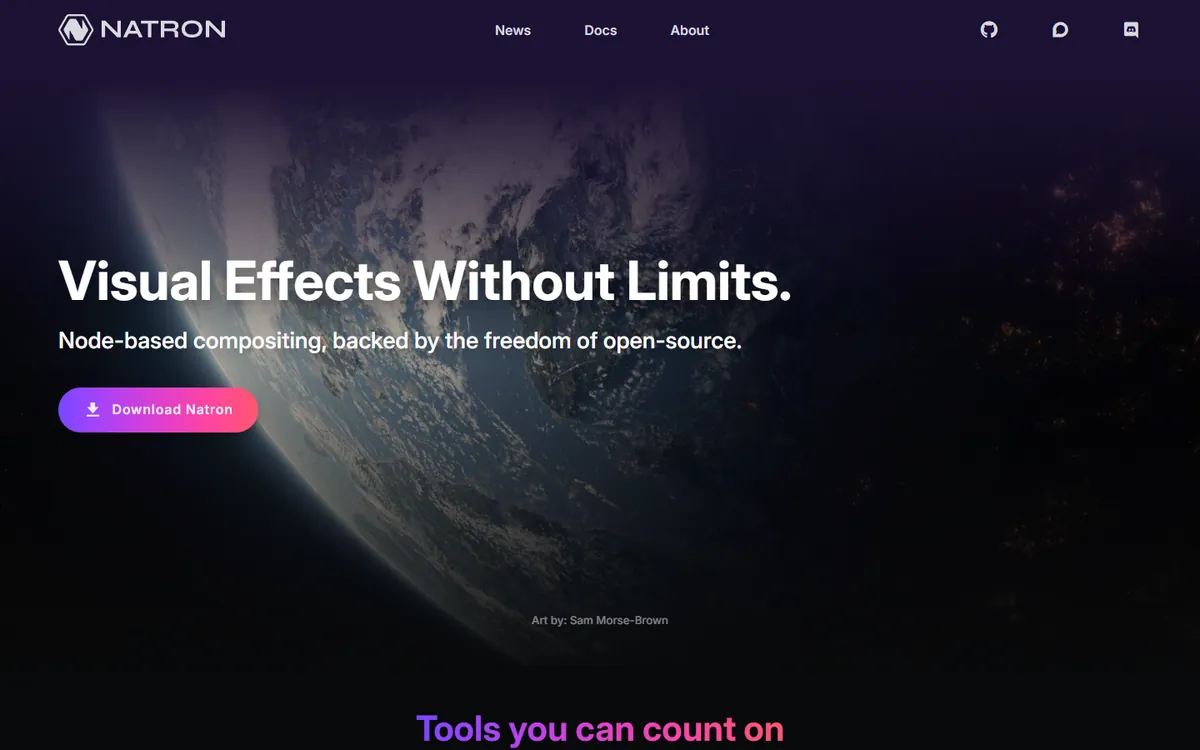
Natron is an open-source node-based compositor inspired by Nuke. It supports OpenFX plug-ins, rotoscoping, tracking and Python scripting, and it is a good way to learn node-based compositing without paying for Nuke or After Effects. Development has slowed in recent years, so treat it as a learning tool or a lightweight compositor rather than a production backbone.
Natron pricing in detail
| Option | Price | Notes |
|---|---|---|
| Natron | Free | Windows, macOS, Linux |
| OpenFX plug-ins | Free to paid | Many free community plug-ins |
What you get
- Node-based compositing similar to Nuke.
- Rotoscoping, tracking and keying.
- OpenFX plug-in support.
- Python scripting for automation.
Where it falls short
- Development has slowed; stability and modern codec support vary.
- No motion-graphics templates.
- Small community.
Good to know
Because development has slowed, check that Natron opens the codecs your footage uses before committing a project to it; transcoding to an image sequence such as EXR or PNG first avoids most compatibility problems. Its node graph concepts transfer directly to Fusion and Nuke, so time spent learning Natron is not wasted if you later move to a professional compositor. Keep it for learning and personal projects rather than paid client work.
Who it's best for
Students and artists learning compositing who want a free Nuke-style tool. Skip it if you need a dependable tool for client deadlines — use Fusion instead.
What five years of motion graphics costs
| Option | Five-year cost |
|---|---|
| After Effects (annual, $22.99 × 60) | ~$1,380 |
| Creative Cloud Pro ($69.99 × 60) | ~$4,200 |
| DaVinci Resolve | $0 |
| DaVinci Resolve Studio | $295 |
| Apple Motion | $49.99 |
| Cavalry | $0 |
| Blender | $0 |
| Natron | $0 |
How to switch without losing your work
- Render final versions of every active After Effects project as high-quality masters (ProRes or DNxHR).
- Export reusable elements — logos, animated graphics — with alpha channels so you can reuse them anywhere.
- Rebuild your most-used templates (lower thirds, intros, end cards) in the new app first.
- Use Lottie for web animations: Cavalry exports Lottie directly.
- Keep a monthly After Effects plan for occasional client templates instead of an annual one.
Which one should you choose?
- You need compositing, keying and tracking for free: DaVinci Resolve (Fusion).
- You edit in Final Cut Pro on a Mac: Apple Motion.
- You make 2D motion graphics and data animation: Cavalry.
- You want 3D motion graphics: Blender.
- You are learning node compositing: Natron.
Hidden costs and gotchas
- Templates. Many paid templates are After Effects-only. Check before you buy.
- Plug-ins. Popular plug-ins such as Element 3D or Trapcode only run in After Effects.
- Client handoff. Agencies may require After Effects project files. Keep a monthly subscription for those jobs.
- Hardware. Free tools still need a strong GPU and plenty of RAM for heavy compositions.
- Annual plan fees. Cancelling an Adobe annual plan early triggers a fee of half the remaining months.
Our verdict
DaVinci Resolve with Fusion is the best free After Effects alternative for compositing and effects. Cavalry is the best choice for 2D motion design now that it is free, Apple Motion is the best value for Mac editors, Blender owns 3D motion graphics, and Natron is a free way to learn node compositing.
More cheaper alternatives: see our breakdowns of the cheaper options to Adobe Premiere, Adobe Lightroom and Vimeo.
Related reading: Motion Design Patterns Worth Adopting Now, Should You Autoplay Video on Your Website? and How AI Tools Are Changing the Designer’s Workflow.
Planning a switch, or not sure which tool fits the way your team works? Book a free call and we will look at your stack with you.
Prices are US list prices in USD unless marked, checked on 27 October 2026. "Annual" means the per-month price when billed yearly. Vendors change pricing often, so confirm on the vendor's site before buying. Product names and logos are trademarks of their respective owners and are used here for identification only.
Common questions
What is the best free After Effects alternative?
DaVinci Resolve's Fusion page for compositing, and Cavalry for 2D motion graphics. Both are free.
Is Cavalry really free?
Yes. Since April 2026 the full Pro version of Cavalry is free for individual artists, including commercial work.
Can Apple Motion replace After Effects?
For titles, lower thirds and Final Cut Pro templates, yes. For complex VFX and templates from marketplaces, no.
Can I open After Effects projects in other apps?
No. .aep files only open in After Effects. Render your work before switching.
Is Blender good for motion graphics?
Yes, especially for 3D. Geometry Nodes make procedural motion graphics possible.
