In short
The best cheaper alternatives to Canva in 2026 are Adobe Express (free), VistaCreate (free), Kittl (free), Microsoft Designer (free) and Affinity (by Canva) (free). Canva itself starts at $12 a month, so most teams can cut the cost substantially without losing the features they actually use.
Canva made graphic design possible for people who never opened Photoshop, and its free plan is still one of the best free tools on the internet. The bill arrives when you need the things businesses actually use: brand kits, background removal, premium templates, Magic Studio's AI tools and resizing a design for every channel. Canva Pro costs $18 a month on monthly billing or $144 a year (about $12 a month) for one person, and Canva Business — the plan that replaced Teams — is $25 per person per month or $250 per person per year. A five-person marketing team on Business pays about $1,250 a year, with no volume discount.
That is still cheap compared with Adobe Creative Cloud, but there are good tools that do most of the same work for less — and two that cost nothing at all. Below we compare five of them on price, templates, AI features and how well they suit a business that needs on-brand graphics every week.
 Canvavs
 Adobe Express
 VistaCreate
 Kittl
 Microsoft Designer
 Affinity (by Canva)
What Canva actually costs in 2026
| Plan | Annual billing | Monthly billing | Who it is for |
|---|---|---|---|
| Free | $0 | $0 | Individuals; limited templates and storage |
| Pro | $144/year (~$12/mo) | $18/mo | One person |
| Business | $250/person/year | $25/person/mo | Teams; brand controls, more AI |
| Enterprise | Custom | — | Large organisations |
Some September 2026 checks of the US pricing page showed Pro at $180 a year, so confirm the price you see at checkout. Cancelling a Business plan is also permanent according to several reports, so test carefully before downgrading. The current tiers are listed on Canva's official pricing page.
The 5 cheaper alternatives at a glance
| Tool | Starts at | Model | Best for |
|---|---|---|---|
| Canva | $12/mo | subscription | The benchmark |
| Adobe Express | Free tier | free | Canva users who want Adobe quality fonts and assets for less |
| VistaCreate | Free tier | free | Small businesses that mostly make social posts |
| Kittl | Free tier | free | Merch, logo and typography-heavy design |
| Microsoft Designer | Free tier | free | Quick AI-generated social graphics at no cost |
| Affinity (by Canva) | Free tier | free | Designers who outgrow templates and want a pro desktop app for free |
How we picked these alternatives
We compared template libraries, brand-kit support, AI features (background removal, generative images, resizing), collaboration, export quality and the real price for one person and for a five-person team. Prices checked 28 October 2026.
1. Adobe Express
Price: Free; Premium $9.99/month or $99.99/year (250 generative credits a month, Adobe Fonts, Adobe Stock collection). See Adobe Express' official pricing page for current plans.
Adobe Express is Adobe's direct answer to Canva, and in 2026 it is a genuinely strong one. It is template-first like Canva — you pick a social post, flyer, story or short video and replace the text and images — but it sits on top of Adobe's assets: thousands of Adobe Fonts, a large Adobe Stock collection and Firefly, Adobe's generative AI, which is trained on licensed content. For a business that worries about the commercial safety of AI images, that last point matters.
Adobe Express pricing in detail
| Plan | Price | Generative credits | Key features |
|---|---|---|---|
| Free | $0 | Limited monthly credits | Core templates, basic editing, quick actions |
| Premium | $9.99/mo or $99.99/yr | 250/month | All premium templates, Adobe Fonts, brand kit, background removal |
| Teams | Per seat (annual) | Pooled | Shared brand kits, locked templates, admin |
Premium is about 30% cheaper than Canva Pro on annual billing ($99.99 versus $144) and about 45% cheaper month to month.
What you get
- Templates for every channel — social posts, stories, reels, flyers, logos, presentations and web pages.
- Firefly generative AI for text-to-image, generative fill and text effects, with commercial-use positioning.
- Quick actions such as remove background, resize, convert video to GIF and trim video in one click.
- Brand kits with logos, colours and fonts on Premium.
- Scheduling to social networks from inside the app.
- Photoshop and Illustrator links — open a Creative Cloud file in Express and keep layers editable.
Where it falls short
- Smaller template library than Canva's for niche formats such as certificates, menus and worksheets.
- Collaboration is less mature — commenting and real-time co-editing exist but feel lighter than Canva's.
- Generative credits run out if you make many AI images; extra credits mean a higher Adobe plan.
Who it's best for
Small businesses and marketers who mostly make social posts, flyers and short videos and want Adobe-quality fonts and stock for less than Canva Pro. Skip it if your team relies on Canva's huge library of niche templates or on Canva Docs and Whiteboards.
2. VistaCreate
Price: Free; Pro $10/month or $120/year (unlimited downloads, brand kits, background remover). See VistaCreate's official pricing page for current plans.
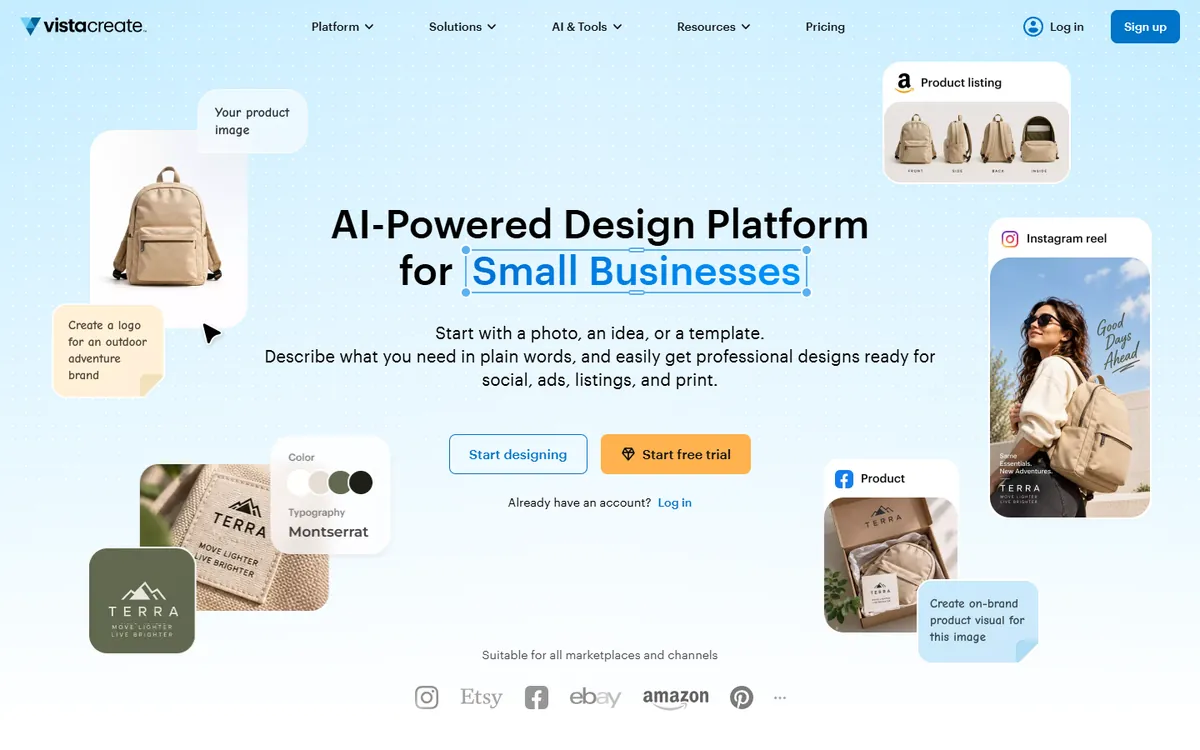
VistaCreate — formerly Crello, now owned by Vistaprint — is the closest like-for-like Canva clone at a lower price. The editor looks and behaves almost exactly like Canva's, so a team can switch in an afternoon. Its strength is animated templates: thousands of social posts and stories already have motion built in, which makes it popular with small businesses that post on Instagram and Facebook every day.
VistaCreate pricing in detail
| Plan | Price | Storage | Key features |
|---|---|---|---|
| Starter (free) | $0 | 10 GB | 150,000+ templates, limited premium assets |
| Pro | $10/mo or $120/yr | Unlimited | All templates and stock, brand kits, background remover, up to 10 team members |
The Pro plan includes up to 10 team members on one subscription, which makes it dramatically cheaper than Canva Business for a small team: $120 a year in total versus $1,250 for five Canva Business seats.
What you get
- 150,000+ templates, many of them animated.
- A stock library of photos, videos and music.
- Background remover and image editing tools.
- Brand kits with fonts, colours and logos.
- Team collaboration on one Pro subscription.
- Vistaprint print ordering for business cards and flyers.
Where it falls short
- AI features are basic compared with Canva's Magic Studio.
- Fewer integrations and no equivalent of Canva Docs, Sheets or Websites.
- Template quality varies more than Canva's curated premium library.
Who it's best for
Small businesses that mostly make social media posts and want a Canva-style editor for the whole team on one cheap plan. Skip it if you rely heavily on AI design tools or on Canva's wider suite of docs and presentations.
3. Kittl
Price: Free; Pro about $12/month billed yearly ($15 monthly); higher Expert tier for heavier use. See Kittl's official pricing page for current plans.
Kittl started as a tool for typography and merch design and has become a capable browser-based design app for anyone who wants more style than a stock Canva template. Its text effects, vector illustrations and vintage badge templates are noticeably more distinctive, and it has built-in AI image generation and vectorisation. Many print-on-demand sellers and small brands use it to make logos, labels and T-shirt designs.
Kittl pricing in detail
| Plan | Price | Key features |
|---|---|---|
| Free | $0 | Limited projects and AI credits, standard exports |
| Pro | ~$12/mo billed yearly ($15 monthly) | Commercial licence, more projects and AI credits, premium templates, transparent and vector exports |
| Expert | Higher | More AI credits, priority features |
Pro sits at roughly the same annual price as Canva Pro, so Kittl wins on value rather than headline price: its free plan is usable for real work, and its vector output is better for print.
What you get
- Typography-led templates for logos, labels, badges, posters and merch.
- Vector illustration tools and an AI vectoriser for turning images into scalable graphics.
- Print-ready exports (SVG, PDF, high-resolution PNG).
- AI image generation with style controls.
- Mockups for T-shirts, packaging and signage.
Where it falls short
- Not built for presentations, documents or video.
- Social templates are fewer than in Canva or VistaCreate.
- Team features are limited.
Who it's best for
Brands, makers and print-on-demand sellers who care about typography and vector quality more than about volume of social posts. Skip it if most of your work is presentations, reports or short video.
4. Microsoft Designer
Price: Free with a Microsoft account; more AI credits come with Microsoft 365 Personal and Family subscriptions. See Microsoft Designer's official site for current plans.
Microsoft Designer takes a different approach: you describe what you want — "an Instagram post announcing our autumn sale, warm colours" — and it generates finished designs with text, layout and images that you then edit. It runs in the browser and inside Windows, and it powers design features in PowerPoint and Microsoft Edge. For people who find a blank canvas intimidating, it is the fastest way to get something decent.
Microsoft Designer pricing in detail
| Access | Price | AI credits | Notes |
|---|---|---|---|
| Microsoft account | Free | Monthly free credits | All core features |
| Microsoft 365 Personal/Family | Included in subscription | More monthly credits | Same app, higher limits |
| Microsoft 365 Copilot (business) | Business add-on | Organisation allowance | Inside Office apps |
What you get
- Prompt-to-design generation for social posts, invitations, cards and banners.
- Image generation and editing — remove backgrounds, blur, restyle and erase objects.
- Templates and brand colours you can apply to designs.
- Integration with PowerPoint and Windows Photos.
Where it falls short
- Limited fine control — layouts are generated, and editing them precisely is clumsier than in Canva.
- No real brand management for teams.
- Few formats beyond social and simple print.
Who it's best for
Solo founders and small teams who need occasional social graphics fast and at no cost. Skip it if you need consistent, on-brand designs produced by several people.
5. Affinity (by Canva)
Price: Free. Since October 2025 Affinity is a single desktop app that combines Photo, Designer and Publisher; AI tools need Canva Pro. See Affinity's official site for current plans.
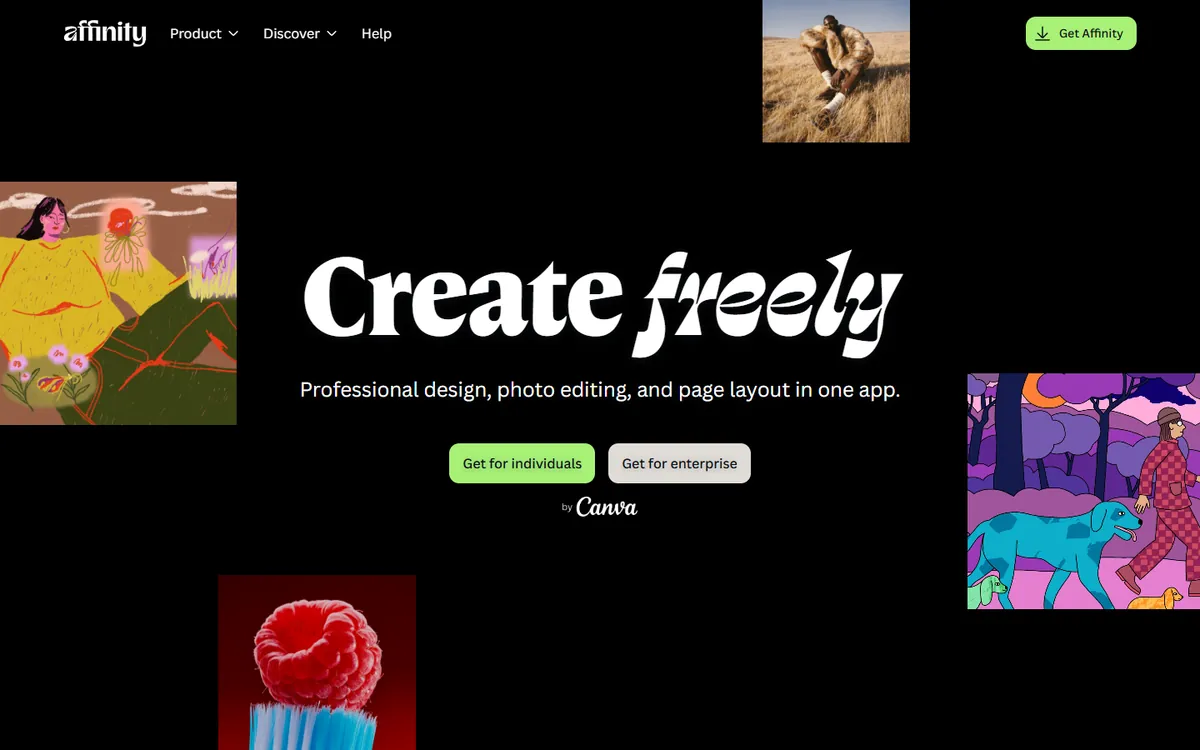
It is a slightly ironic entry: Canva bought Serif, the maker of Affinity, and in October 2025 made the professional Affinity app free for everyone. It is not a template tool — it is a full desktop alternative to Photoshop, Illustrator and InDesign — but for anyone at a business who has outgrown Canva's limits on typography, print production and photo editing, it removes the need to pay for Adobe.
Affinity pricing in detail
| Option | Price | What is included |
|---|---|---|
| Affinity app | Free (Canva account) | Photo editing, vector design and page layout in one app |
| AI features | Requires Canva Pro | Generative fill, background removal and other Canva AI tools |
What you get
- Professional photo editing with layers, masks and RAW development.
- Vector illustration for logos and icons.
- Page layout for brochures, books and reports with proper print output (CMYK, PDF/X).
- Opens PSD, AI and IDML files from Adobe apps.
- Windows and macOS desktop performance.
Where it falls short
- No template marketplace like Canva's — you design from scratch or from your own files.
- Steeper learning curve for non-designers.
- Real-time collaboration is not its focus.
Who it's best for
In-house designers and agencies that use Canva for quick work but need professional tools for print and detailed work without an Adobe subscription. Skip it if nobody on your team has design experience.
What a five-person marketing team pays per year
| Option | Annual cost |
|---|---|
| Canva Business (5 × $250) | $1,250 |
| Canva Pro for one designer + free plans for the rest | $144 |
| Adobe Express Premium (one designer) | $99.99 |
| VistaCreate Pro (up to 10 members) | $120 |
| Kittl Pro (one designer) | ~$144 |
| Microsoft Designer | $0 |
| Affinity | $0 |
The biggest saving usually comes from not giving every person a paid seat. Most teams have one or two people who design and several who only edit text — they rarely need Business features.
How to switch without losing your work
- Download your brand assets from Canva — logos, fonts and colour codes — before cancelling.
- Export your most-used templates as PDF or PNG so you can rebuild them in the new tool.
- Rebuild the five designs you make most often (social post, story, flyer, presentation cover, email header) first.
- Keep Canva Free for opening and duplicating old designs — your free account keeps your files.
- Downgrade Pro or Business only after the team has worked in the new tool for a month.
Which one should you choose?
- You want the closest thing to Canva Pro for less: Adobe Express.
- You need a Canva-style editor for a whole small team on one plan: VistaCreate.
- You design logos, labels and merch: Kittl.
- You need quick AI-generated graphics at no cost: Microsoft Designer.
- You need professional photo, vector and print tools for free: Affinity.
Hidden costs and gotchas
- Seat creep. Canva Business charges for every person, including people who only approve designs. Check who actually creates.
- AI credits. Every tool now limits generative AI with monthly credits. Heavy AI use pushes you to higher tiers.
- Stock licensing. Premium stock in templates is licensed for use inside designs, not for resale or merchandise. Read the licence before printing products.
- Fonts. Fonts you use in Canva or Adobe Express are licensed inside the app. Exporting editable files for a printer may need separate licences.
- Annual renewals. Canva and Adobe renew automatically at the current list price, which has risen several times since 2024.
Our verdict
Adobe Express is the best overall Canva alternative for most businesses: similar templates, better fonts and a lower price. Small teams that just post on social media should look at VistaCreate, makers of logos and merch at Kittl, anyone who needs quick free graphics at Microsoft Designer, and designers who want professional tools without a subscription at Affinity.
More cheaper alternatives: see our breakdowns of the cheaper options to Adobe InDesign, Adobe Photoshop and Shutterstock.
Related reading: What Goes in a Brand Guideline Document?, How Much Does Branding Cost? and Should You Use AI-Generated Images on Your Website?.
Planning a switch, or not sure which tool fits the way your team works? Book a free call and we will look at your stack with you.
Prices are US list prices in USD unless marked, checked on 27 October 2026. "Annual" means the per-month price when billed yearly. Vendors change pricing often, so confirm on the vendor's site before buying. Product names and logos are trademarks of their respective owners and are used here for identification only.
Common questions
What is the best free alternative to Canva?
Adobe Express Free is the closest match for templates. Affinity is the best free option for professional design work.
Is Adobe Express cheaper than Canva?
Yes. Adobe Express Premium is $99.99 a year versus $144 for Canva Pro, and it includes Adobe Fonts and Firefly AI.
Can I use VistaCreate with a team?
Yes. VistaCreate Pro includes up to 10 team members on one $10-a-month subscription.
Is Affinity really free?
Yes. Since October 2025 the Affinity app is free with a Canva account. Only Canva's AI features inside it require Canva Pro.
Why did my Canva bill go up?
Canva raised Pro prices and replaced Teams with per-person Business pricing, so teams now pay for every seat.
