In short
The best cheaper alternatives to Evernote in 2026 are Joplin (free), Obsidian (free), Microsoft OneNote (free), UpNote (free) and Google Keep (free). Evernote itself starts at $10.83 a month, so most teams can cut the cost substantially without losing the features they actually use.
Evernote was the first note-taking app many people loved, with its web clipper, powerful search inside PDFs and images, and notebooks for everything. Since Bending Spoons bought it in 2022, the product has changed quickly — and so has the price. In December 2023 the free plan was cut to 50 notes and one notebook. Paid plans have been renamed and repriced several times; in 2026 they cost roughly $14.99 a month or about $130 a year for Personal, and about $17.99 a month or $170–250 a year for the higher Professional/Advanced tier, depending on the plan you are offered. Many long-time users now pay far more than they used to for the same notes.
You can leave without losing your archive: every alternative below imports Evernote notes, and several are free.
 Evernotevs
 Joplin
 Obsidian
 Microsoft OneNote
 UpNote
 Google Keep
What Evernote actually costs in 2026
| Plan | Monthly | Yearly | Key limits |
|---|---|---|---|
| Free | $0 | $0 | 50 notes, 1 notebook, 1 device sync limits |
| Personal (Starter) | ~$14.99 | ~$129.99 | Unlimited notes, offline, larger uploads |
| Professional (Advanced) | ~$17.99–24.99 | ~$169.99–249.99 | AI features, more storage, tasks and calendar |
| Teams | Per user | Per user | Shared spaces, admin |
Evernote's plan names and prices change often — check the price shown in your account before renewing.
The 5 cheaper alternatives at a glance
| Tool | Starts at | Model | Best for |
|---|---|---|---|
| Evernote | $10.83/mo | subscription | The benchmark |
| Joplin | Free tier | open source | Evernote refugees who want a near drop-in replacement |
| Obsidian | Free tier | free | Writers and thinkers who want local files and links |
| Microsoft OneNote | Free tier | free | Students and Windows users |
| UpNote | Free tier | free | People who want Evernote simplicity without a subscription |
| Google Keep | Free tier | free | Quick capture and shopping lists |
How we picked these alternatives
We compared Evernote import, web clipping, search (including inside PDFs and images), sync, offline access, encryption and the price over three years. Prices checked 28 October 2026.
1. Joplin
Price: Free and open source; Joplin Cloud Basic €2.40 a month billed yearly (€2.99 monthly); Pro about €4.79 a month billed yearly. See Joplin's official pricing page for current plans.
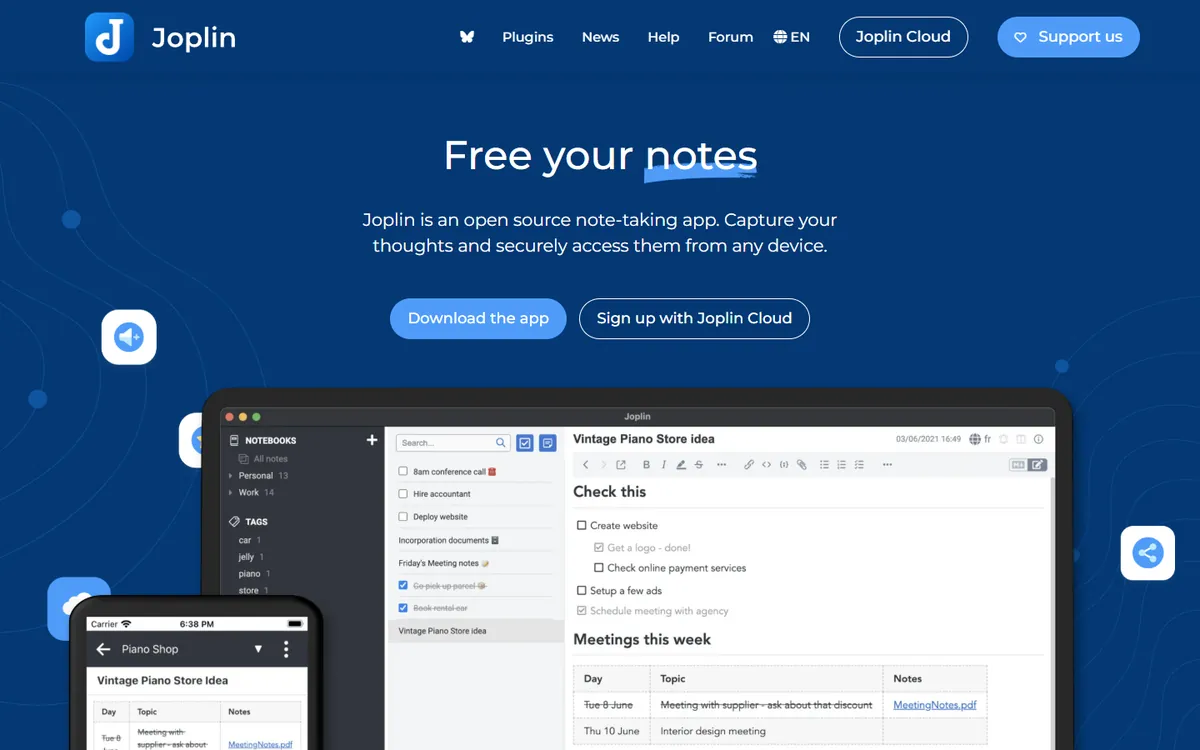
Joplin is the closest thing to a drop-in Evernote replacement. It has notebooks, tags, a web clipper for Chrome and Firefox, attachments, to-dos, and it imports Evernote's .enex export files with notes, tags and attachments intact. Notes are stored as Markdown, synced through Joplin Cloud, Dropbox, OneDrive, Nextcloud or WebDAV, and can be end-to-end encrypted.
Joplin pricing in detail
| Option | Price | What is included |
|---|---|---|
| Joplin app | Free | All features, all platforms, any sync target |
| Joplin Cloud Basic | €2.40/mo yearly (€2.99 monthly) | 2 GB, 10 MB per note, publishing |
| Joplin Cloud Pro | ~€4.79/mo yearly (€5.99 monthly) | 30 GB, 200 MB per note, sharing |
| Joplin Cloud Teams | Per user | Team management |
What you get
- Evernote import (.enex) with tags and attachments.
- Web clipper for pages, selections and screenshots.
- End-to-end encryption.
- Free sync via Dropbox, OneDrive or your own server.
- Plugins for extra features.
Where it falls short
- Less polished interface than Evernote.
- Search inside images requires OCR setup.
- Markdown editor may feel technical to some users.
Who it's best for
Evernote users who want a near like-for-like replacement for free or a few euros a month. Skip it if you want Evernote's polished design.
2. Obsidian
Price: Free, including commercial use; Sync $4 a month billed yearly ($5 monthly); Publish $8 a month billed yearly. See Obsidian's official pricing page for current plans.
Obsidian stores notes as plain Markdown files on your computer, links them with backlinks and shows connections in a graph view. Its official Importer plugin brings in Evernote .enex files, and thousands of community plugins add web clipping, tasks, calendars and databases. For people who use Evernote as a long-term archive and thinking space, Obsidian is fast, private and future-proof.

Obsidian pricing in detail
| Product | Price | What you get |
|---|---|---|
| Obsidian | Free | All core features |
| Sync Standard | $4/mo yearly | 1 vault, 1 GB, encryption |
| Sync Plus | $8/mo yearly | 10 vaults, 10 GB+ |
| Publish | $8/mo yearly | Publish notes as a website |
What you get
- Local Markdown files you own forever.
- Evernote importer.
- Official web clipper and community plugins.
- Backlinks and graph view.
- End-to-end encrypted Sync.
Where it falls short
- Learning curve for people used to notebooks.
- No native OCR search in images.
- Collaboration is limited.
Good to know
Obsidian's Importer plugin handles notebooks, tags, attachments and even some internal links from Evernote exports. The official Web Clipper browser extension saves pages as Markdown into your vault, replacing Evernote's clipper for most uses. If you sync with iCloud or another cloud drive, avoid editing the same note on two devices at once to prevent conflicts.
Who it's best for
Writers, researchers and knowledge workers who want their notes in open files. Skip it if you want a simple notebook app with no setup.
3. Microsoft OneNote
Price: Free with a Microsoft account (5 GB OneDrive storage); more storage with Microsoft 365. See Microsoft OneNote's official site for current plans.
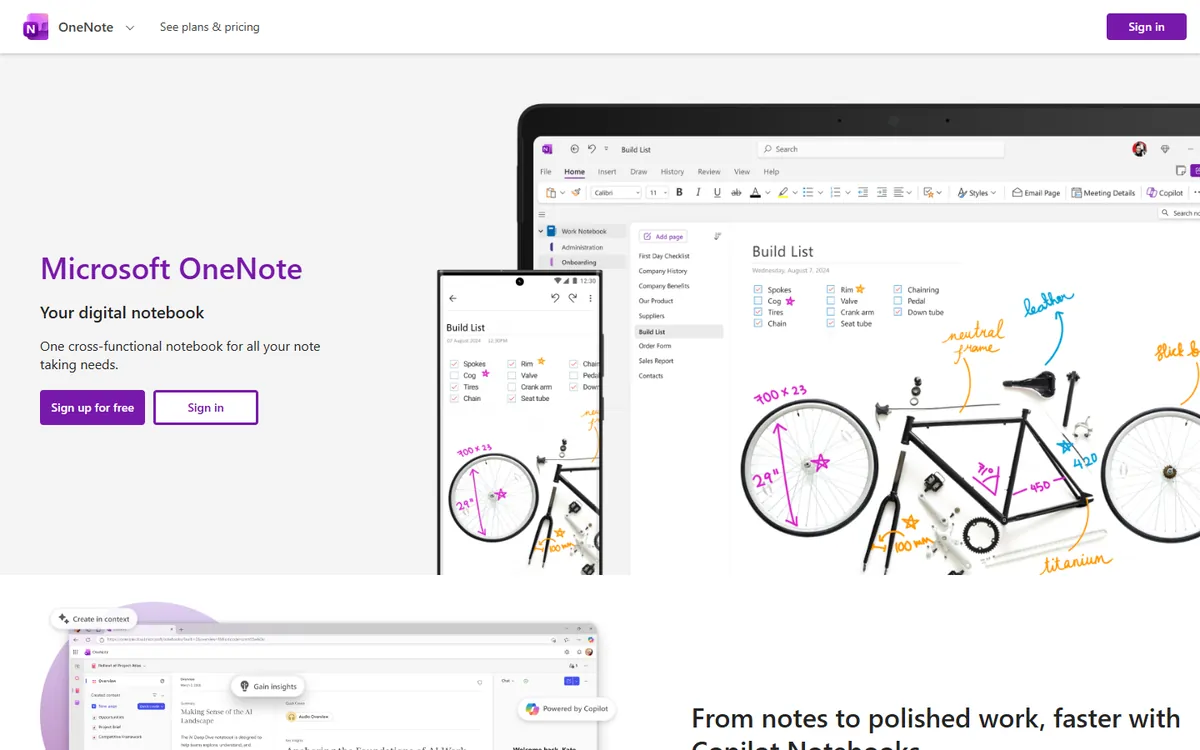
OneNote is a free digital notebook with sections and pages, freeform layout, handwriting and drawing, audio recording and a web clipper. It works on Windows, Mac, iOS, Android and the web, and it syncs through OneDrive. For students and Windows users, it is the easiest free home for Evernote notes; Microsoft has offered Evernote import tools in the past, and third-party converters handle .enex files.
Microsoft OneNote pricing in detail
| Access | Price | Storage |
|---|---|---|
| Microsoft account | Free | 5 GB OneDrive |
| Microsoft 365 Personal | Paid subscription | 1 TB |
| Microsoft 365 business plans | Included | 1 TB per user |
What you get
- Freeform notebooks with sections and pages.
- Handwriting, drawing and audio notes.
- Web clipper.
- Search inside images with OCR.
- Free on every platform.
Where it falls short
- Search and organisation feel dated.
- Large notebooks can sync slowly.
- Evernote import needs third-party tools.
Good to know
OneNote organises notes in notebooks, sections and pages, so map your Evernote notebooks to OneNote sections before importing. Its Lens mobile app scans documents and whiteboards and adds them to notes with searchable text. Notebooks are stored in OneDrive, so keep an eye on your storage limit on the free plan.
Who it's best for
Students, Windows users and anyone who wants a free notebook with handwriting support. Skip it if you want fast tag-based organisation.
4. UpNote
Price: Free (50 notes); Premium about $1.99 a month or a one-time lifetime licence of about $40. See UpNote's official site for current plans.
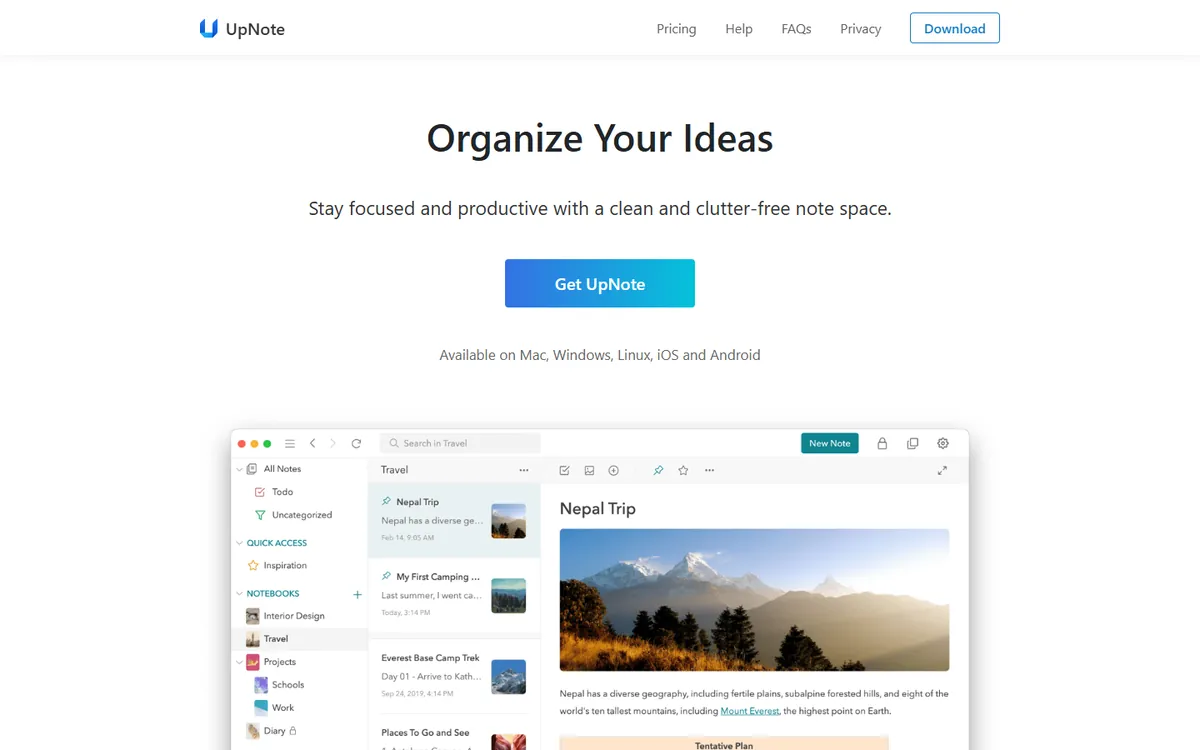
UpNote is a clean, fast note app that feels like a simpler, modern Evernote. It has notebooks, tags, rich text, attachments, offline access and Evernote import — and, unusually, a lifetime licence, so you can pay once and stop worrying about price increases. It is a one-person-company product, which keeps it simple and cheap.
UpNote pricing in detail
| Plan | Price | Notes |
|---|---|---|
| Free | $0 | Up to 50 notes |
| Premium | ~$1.99/mo | Unlimited notes and sync |
| Lifetime | ~$40 one-time | Premium forever |
What you get
- Fast, distraction-free editor.
- Notebooks, tags and filters.
- Evernote import.
- Offline access on all devices.
- Lifetime licence option.
Where it falls short
- No collaboration.
- No web clipper as powerful as Evernote's.
- Small developer team.
Good to know
UpNote's lifetime licence includes future updates, which makes it one of the cheapest long-term options available. It supports Markdown shortcuts, templates and backlinks between notes. Keep regular exports as a backup, since UpNote is a small company and its sync is proprietary.
Who it's best for
Individuals who want Evernote's simplicity without a subscription. Skip it if you share notebooks with others.
5. Google Keep
Price: Free with a Google account. See Google Keep's official site for current plans.
Google Keep is a simple, colourful notes app for quick capture: text notes, checklists, voice notes, photos and reminders. It searches text inside images, works with Google Docs and is available everywhere. It will not hold a 20,000-note archive comfortably, but for many people Evernote became a place for shopping lists and quick thoughts — and Keep does that for free.
Google Keep pricing in detail
| Access | Price | Storage |
|---|---|---|
| Google account | Free | Shared 15 GB |
| Google One / Workspace | Paid | More storage |
What you get
- Quick notes, lists and reminders.
- Text recognition in images.
- Labels and colours.
- Sharing and collaboration.
- Google Docs integration.
Where it falls short
- Not built for long documents or large archives.
- No notebooks or nested organisation.
- No Evernote import.
Good to know
Keep notes can be copied into Google Docs with one click when they grow into longer documents. Labels and colours make it easy to sort quick notes, and reminders can trigger at a time or location. Use Google Takeout to export all Keep notes if you ever want to move them.
Who it's best for
Quick capture, checklists and reminders. Skip it if you need a serious archive or research notebook.
What three years of notes cost
| Option | Three-year cost |
|---|---|
| Evernote Personal (~$129.99 × 3) | ~$390 |
| Evernote Professional (~$169.99–249.99 × 3) | ~$510–750 |
| Joplin (free sync) | $0 |
| Joplin Cloud Basic | ~€86 |
| Obsidian (free, or with Sync) | $0–144 |
| Microsoft OneNote | $0 |
| UpNote lifetime | ~$40 |
| Google Keep | $0 |
How to switch without losing your work
- Export notebooks as .enex from the Evernote desktop app (one notebook at a time, or all notes).
- Import into the new app — Joplin, Obsidian and UpNote import .enex directly.
- Check attachments and formatting on a sample of important notes.
- Recreate saved searches and shortcuts in the new app.
- Keep the export files as a backup in your own storage.
Which one should you choose?
- You want a near drop-in Evernote replacement: Joplin.
- You want notes in open files you own: Obsidian.
- You want a free notebook with handwriting: Microsoft OneNote.
- You want simplicity without a subscription: UpNote.
- You mainly capture quick notes and lists: Google Keep.
Hidden costs and gotchas
- Export limits. Large Evernote accounts can take time to export — do it before your plan lapses.
- Note links. Links between Evernote notes may break after import.
- OCR search. Searching text inside images and PDFs is not available everywhere.
- Sync services. Free apps may need a sync provider such as OneDrive or Dropbox.
- Renewal changes. Evernote renews at the current price, which has changed several times.
Our verdict
Joplin is the best Evernote alternative for most people — free, open source and almost a drop-in replacement. Obsidian is ideal for knowledge workers, OneNote is the free notebook for students and Windows users, UpNote gives Evernote simplicity for a one-time price, and Google Keep handles quick notes for free.
More cheaper alternatives: see our breakdowns of the cheaper options to Notion, Google Workspace and Microsoft 365.
Related reading: How to Build a Content Calendar That Survives, What Is a Content Audit, and How Do You Run One? and Build vs Buy Software: A Practical Decision Framework.
Planning a switch, or not sure which tool fits the way your team works? Book a free call and we will look at your stack with you.
Prices are US list prices in USD unless marked, checked on 27 October 2026. "Annual" means the per-month price when billed yearly. Vendors change pricing often, so confirm on the vendor's site before buying. Product names and logos are trademarks of their respective owners and are used here for identification only.
Common questions
What is the best free alternative to Evernote?
Joplin. It imports Evernote notes, has a web clipper and supports free sync.
Why did Evernote limit the free plan?
In December 2023 Evernote capped free accounts at 50 notes and one notebook to push users to paid plans.
How do I export my notes from Evernote?
Use the desktop app to export notebooks as .enex files, then import them into the new app.
Can Obsidian import Evernote notes?
Yes. The official Importer plugin converts .enex files into Markdown notes.
Is there a one-time-purchase Evernote alternative?
Yes. UpNote offers a lifetime licence for about $40.
